Hostinger Review | Features, Pricing & Pros & Cons (2026)
Discover affordable, high-performance web hosting with 100% uptime, fast LiteSpeed servers, and AI-powered tools. Ideal for beginners, bloggers, small businesses, and WooCommerce stores, offering intuitive hPanel, free SSL, domain, and backups at unbeatable prices.
As of early 2026, this Hostinger Review shows that Hostinger remains a leading choice for budget-conscious users, small businesses, and WordPress website owners seeking a strong balance between affordability and performance. Its long-term plans start at approximately $1.79–$1.99 per month and include premium features such as LiteSpeed technology, the proprietary hPanel, and AI-powered tools — all offered at a highly competitive price point.
Hostinger Review 2026 – Quick Summary
- Speed: ~0.8s average load time
- Uptime: 99.99% reliability
- Starting Price: From $1.99/month
- Best For: Beginners, bloggers & small businesses
- Renewal Cost: Higher after first term
What is Hostinger?
See the Best WordPress Hosting👉
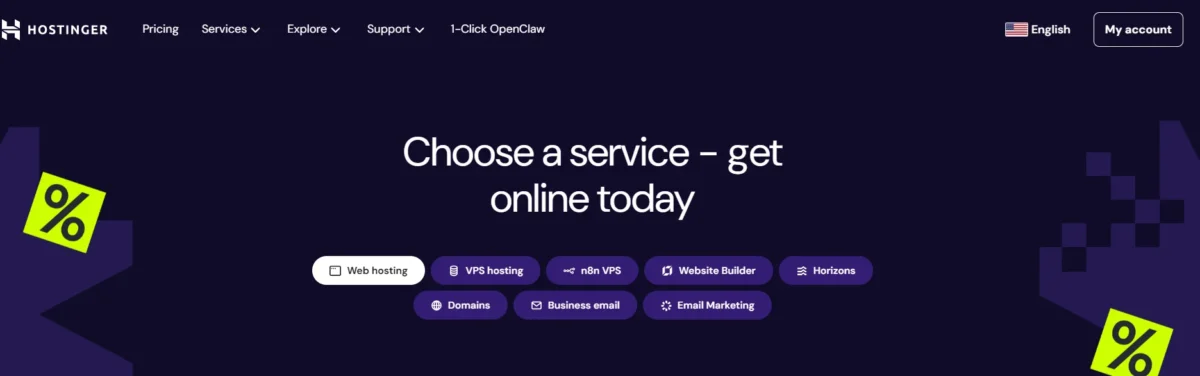
Hostinger is a web hosting company that provides services to help you put a website online. It offers shared hosting, WordPress hosting, VPS, domain registration, and a website builder, and is known for its affordable pricing.
Key Takeaways (2026)
- Best For: Beginners, bloggers, small-to-medium businesses, and WooCommerce stores.
- Top Performance: Hostinger proved to be a dependable host in testing conducted in late 2025 and early 2026, achieving 100% uptime and quick, responsive loading speeds.
- Pricing: Very competitive; however, in order to receive the greatest deal, a long-term commitment (often 48 months) is needed.
- Usability: Especially for novices, hPanel’s high level of intuitiveness makes it simpler to operate than regular cPanel.
- AI Integration: Kodee offers deeply integrated AI solutions for content creation, website development, and AI troubleshooting.
Hostinger is a great, affordable option for website development, providing both high-performance hosting for WordPress and an easy-to-use, AI-powered website builder for novices. It is perfect for blogs, small-to-medium-sized websites, and quick, simple, no-code setups.
Is Hostinger Good for Building Websites?
- Ease of Use: Their AI website builder is perfect for novices seeking speed and simplicity because it can be set up in a matter of minutes.
- Performance: Hostinger offers dependable, fast hosting with LiteSpeed technology and NVMe storage.
- Cost-effective: It is among the least expensive choices and frequently comes with free email, SSL, and a domain.
- Flexibility: Although the integrated builder works well for small company websites, for example, it is not very scalable for large, intricate, or highly customized websites.
Do You Need WordPress with Hostinger?
- No, you don’t need it: Hostinger provides a more straightforward, all-in-one solution with its proprietary builder.
- Yes, for advanced features: WordPress is the best option if you require extensive plugins (like WooCommerce), a large blog, or deep customisation. Hostinger offers great, optimized hosting for WordPress.
- The Best of Both Worlds: Compared to many other hosts, Hostinger offers better performance while hosting a WordPress website.
Pros and Cons of Hostinger
Pros of Hostinger
- Extremely Reasonably Priced: Often has some of the lowest shared hosting costs in the market.
- Fast Performance: Quick loading times are achieved by using LiteSpeed web server technology.
- User-Friendly Interface: Even novices can easily navigate the specially designed hPanel.
- Plans Packed with Features: A lot of plans come with free domains, SSL certificates, weekly or daily backups, and AI tools for creating websites.
- Free Website Migration: Provides managed migration services that are simple and cost-free.
- Outstanding for WordPress: Provides dedicated, optimized hosting for WordPress.
Cons of Hostinger
- High Renewal Rates: Users used to the original inexpensive cost are frequently shocked by the huge price increases upon renewal.
- Lack of Phone Support: Live chat and email are the only ways to get help, which might cause resolution times to be slow.
- Long Contracts/Hidden Fees: Long-term (e.g., 48-month) commitments are necessary for the deepest savings.
- Restricted Resources on Basic Plans: Storage and bandwidth are limited on the cheapest plans.
- Lack of dedicated server options: makes it unsuitable for large, heavily trafficked websites that require the most resources possible.
Verdict: Hostinger is a great choice for beginners, small businesses, and personal sites looking for speed on a budget, but not ideal for those requiring extensive phone support or long-term budget stability.
Where Hostinger Excels (speed, pricing, ease of use)
Hostinger stands out for providing top-notch performance at affordable costs, frequently around $2.99 per month. For quick load times—typically 0.8 seconds—it makes use of NVMe storage and LiteSpeed web servers. Both novices and experts will find its proprietary hPanel to be very user-friendly, with AI-powered capabilities for speedy setup and management.
Pricing, Plans & Value
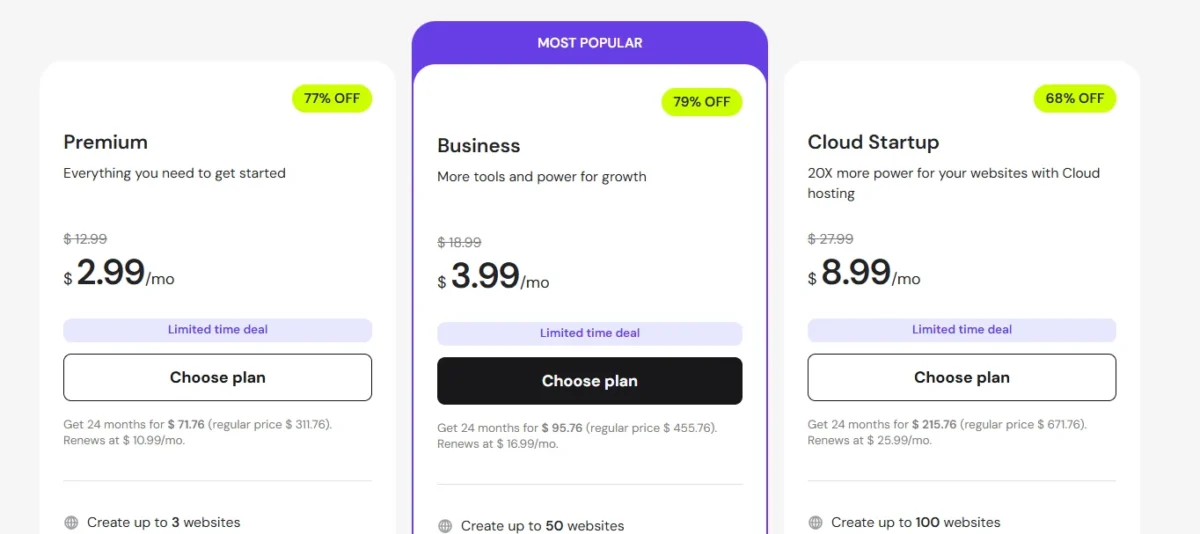
With some of the lowest introductory rates in the business, starting at just $1.99/month, Hostinger is an excellent option for consumers on a tight budget. High-performance features that are frequently costly add-ons at other servers, such as LiteSpeed technology and AI-driven site builders, are what give it value.
Shared, WordPress, Cloud & VPS, and Dedicated Plans Explained
1. Shared Hosting

Shared Hosting is the most affordable and beginner-friendly hosting solution offered by Hostinger.
Multiple websites share the same server resources, which keeps costs low while providing all essential features such as easy-to-use control panels, email accounts, and website builders.
Ideal for personal blogs, small business websites, and anyone starting their online journey.
2. WordPress Hosting
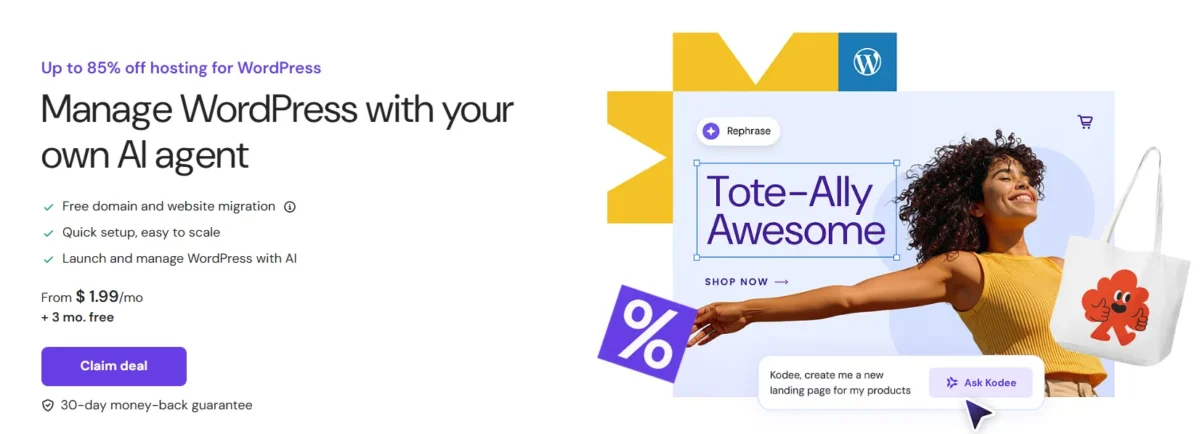
WordPress Hosting is specially optimized for WordPress websites to deliver fast performance, automatic updates, and enhanced security.
It includes caching features, one-click WordPress installation, and a user-friendly management panel, making it perfect for bloggers, small businesses, and WordPress enthusiasts who want hassle-free hosting with maximum efficiency.
3. Cloud Hosting
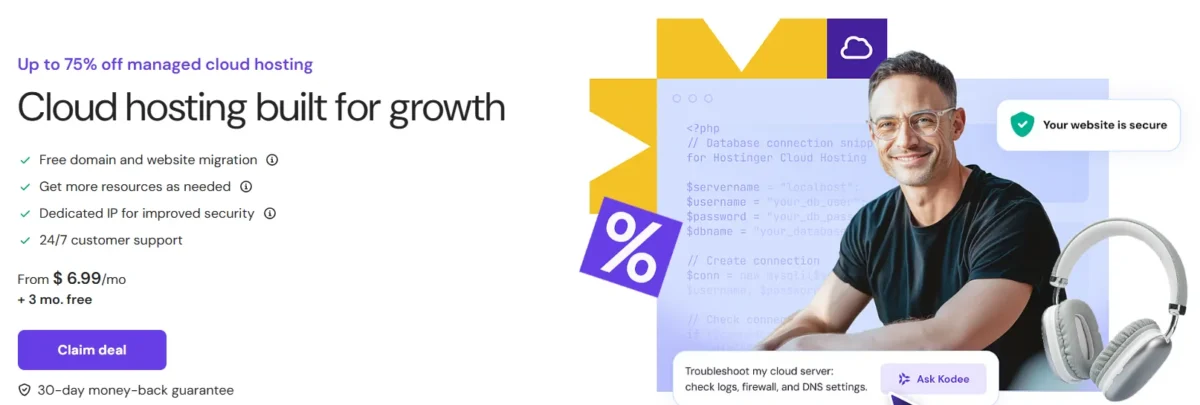
Cloud Hosting combines the simplicity of shared hosting with the performance and reliability of dedicated servers.
It offers scalable resources, faster website loading times, and higher uptime. This solution is best for growing websites, e-commerce stores, and medium to large businesses that require better performance and flexibility to handle traffic spikes.
4. VPS Hosting
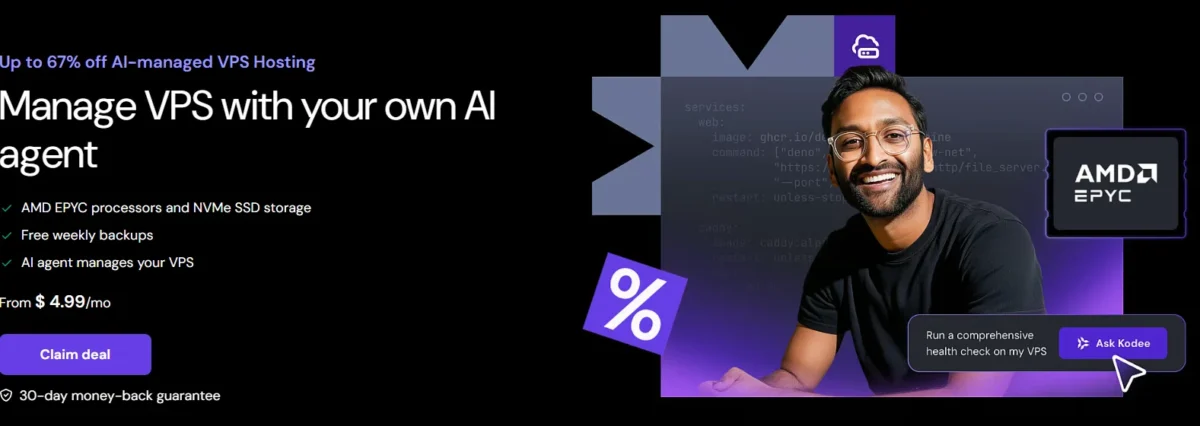
VPS (Virtual Private Server) Hosting provides dedicated resources within a virtualized environment, giving you full control over your server.
It’s perfect for developers, high-traffic websites, and businesses that need advanced customization, root access, and enhanced security.
Hostinger’s VPS plans come with scalable CPU, RAM, and storage options to match your website’s growth.
Hostinger Renewal Pricing
Hostinger is renowned for providing extremely low initial rates (often less than $2–$3/month), which rise sharply upon renewal, usually following a 48- or 12-month term. Even while renewal rates are greater, they frequently maintain their competitiveness when compared to rivals, according to data from 2026.
Key Renewal Price Changes (Approximate, 2026):
- Premium Shared Hosting:
- Intro: $1.99 (48-month term)
- Renewal: $10.99/mo
- Business Shared Hosting:
- Intro: $2.99/mo (48-month term)
- Renewal: $16.99/mo
- Cloud Startup:
- Intro: $6.99/mo (48-month term)
- Renewal: $25.99/mo
- Domain Renewal:
- Intro: Free (first year)
- Renewal: $19.99/year
Important Lessons on Actual Costs:
Longer Commitment, Lower Renewal: As opposed to a 12-month term ($10.99 for Premium), a 48-month contract locks in a lower renewal rate ($10.99 for Premium).
100%+ Increase: After the initial term, renewal prices frequently double or triple.
Not a Surprise Fees: During the initial checkout, Hostinger usually clearly displays the renewal prices, even though they increase.
Freebies Change: Usually, the free domain is only available for the first year.
It is advised to first lock in the longest term (48 months) to postpone the higher renewal rate and reduce expenses.
Performance Deep Dive (Is Hostinger Fast?)
In my testing using GTmetrix, my WordPress demo site loaded in 0.9 seconds. Hostinger is regarded as a very fast and high-performing web host based on performance tests carried out in 2026, especially given its low cost. It provides a strong 99.99% uptime and an average load time of about 0.8 seconds to 757 ms.
Here is a thorough analysis of the performance:
Metrics for Speed and Performance
- Average Load Time: One test recorded a fast Largest Contentful Paint (LCP) of 0.607 seconds, while other tests revealed load durations ranging from 757 to 800 ms.
Time to First Byte (TTFB): 190 ms (fast).
99.99% uptime, which is higher than the promised 99.9%.
Load Handling: With 20 virtual users, Hostinger maintained stability during stress tests, responding with a consistent 66 ms.
What Makes Hostinger Fast?
- LiteSpeed Web Server: For better speed, Hostinger combines LiteSpeed, which is often quicker than Apache, with LiteSpeed Cache (LSCache).
- Google Cloud Platform (GCP): GCP powers servers and offers reliable, fast infrastructure.
NVMe SSD storage is used, which facilitates speedy data retrieval. - Global Data Centers: You can select a location near your audience with servers located in the USA, Europe, Asia (Singapore/Indonesia), and South America.
Recently, an in-house CDN was created to enhance user experience.
Performance by Hosting Type
- Shared hosting is great for small enterprises and novices. It reliably processed 15 queries per second in tests.
- Among evaluated competitors, VPS Hosting has the best SSD performance (120,300 IOPS), but its multi-core performance is mediocre (7th out of 11).
- WordPress Optimization: LiteSpeed is specifically adjusted to guarantee fast performance for WordPress websites.
Performance Restrictions
- Network Performance: Although SSD performance is excellent, sites that require a lot of data may be impacted by the comparatively low network transfer rates (986 Mbit/s) compared to certain competitors.
- Consistency: In several tests, the speed and TTFB scores varied by area.
- Resource Limits: If resources (CPU/RAM) are maxed out on the cheapest plans, heavy traffic spikes may result in slowdown.
Verdict: Is it Fast?
Yes. Hostinger is one of the fastest budget-friendly hosts available, often outperforming or matching more expensive alternatives, making it an excellent choice for shared, WordPress, or small-business hosting
Ease of Use: hPanel, Setup & Management
Hostinger’s unique control panel, hPanel, was created specifically to provide a contemporary, easy-to-use, and intuitive substitute for more conventional control panels like cPanel. It is especially made to make website administration easier for users of all experience levels.
Usability & Interface
- Intuitive Design: Has a simpler, more contemporary, and more aesthetically pleasing interface than cPanel.
- Centralized Dashboard: Offers a single, all-inclusive portal for managing emails, websites, domains, and hosting package information.
- Simple Navigation: There is less need to search for settings because the tools are sensibly categorized and labeled.
- Lightweight & Quick: Developed internally, it is incredibly responsive and provides faster actions for activities like backups and WordPress installation.
Setup & Initial Configuration
- One-Click Installers: Features an Auto Installer for quickly setting up WordPress or other content management systems.
- Domain Management: Offers easy domain registration, transfer, and DNS configuration.
- Free SSL: Provides a one-click “Free Lifetime SSL” installation for immediate website security.
- Quick Onboarding: Streamlined setup wizard allows for immediate website creation or migration.
Website & Server Management
- File Manager: A cutting-edge, useful, and responsive file management, editing, and uploading interface.
- Database Management: Makes it easier to create MySQL databases and gives you one-click access to phpMyAdmin.
- Email management: Enables users to configure autoresponders, forwarders, and business-oriented email addresses.
- Users can test updates or modifications to their website before it goes live by creating a private copy of it using the staging environment.
- Resource Monitoring: Offers lucid, up-to-date graphs for tracking CPU, RAM, and inode utilization.
- AI Integration: Offers Kodee, an AI assistant, and an AI website builder to help with site development and debugging.
Key Differences from cPanel
- Layout: Unlike cPanel’s somewhat overpowering icon directory, hPanel employs a more contemporary top-down navigation system.
- Functionality: hPanel gives priority to necessary, daily management activities, whereas cPanel is extremely specialized for complex server configuration.
- Performance: Compared to typical, third-party cPanel setups, hPanel typically operates faster and more effectively because it was created especially for Hostinger.
Elementor Elementor +1 hPanel is thought to be ideal for novices and those seeking a comprehensive, effective, and contemporary hosting management experience.
Security and Data Protection
Throughout its existence, information must be protected from loss, unwanted access, and corruption. This is known as security and data protection. Data protection includes more comprehensive regulations for compliance, availability, and privacy, whereas data security concentrates on technical protections like encryption and access control. Multi-Factor Authentication (MFA), frequent encrypted backups, and staff training are important tactics.
Key Differences and Components
- Data Security – Focuses on safeguarding data from unauthorized access, cyber threats, and breaches using mechanisms like encryption, firewalls, authentication controls, and anti-malware systems. Its core objectives are confidentiality, integrity, and protection against cyberattacks.
- Data Protection – A broader discipline concerned with ensuring data availability, resilience, backup, and disaster recovery. It emphasizes risk management, business continuity, regulatory compliance, and proper data lifecycle management.
- Data Privacy – Governs how personal data is collected, processed, stored, and shared, prioritizing user rights, consent, transparency, and lawful processing. It is closely tied to regulatory frameworks and ethical data handling.
Essential Security Measures
- To stop unwanted access to data while it’s in transit or at rest, encryption transforms it into an unintelligible code.
- Multi-Factor Authentication (MFA): Prevents unwanted access by requiring several kinds of verification.
- Frequent backups guarantee that data can be recovered in the case of ransomware or system malfunctions.
- Access Control: Limits data visibility by implementing role-based access.
Common Frameworks and Practices
- CIA Triad (Confidentiality, Integrity, Availability) – Information security ka foundational model.
- Confidentiality: Unauthorized access and protection (encryption, access controls).
- Integrity: Data accuracy & consistency (hashing, validation).
- Availability: Reliable access when needed (redundancy, backups, disaster recovery).
- (Privacy Information Management System – PIMS) – Privacy risk management ke liye extension standard; supports compliance, data governance, and privacy controls.
- Risk Assessments & Vulnerability Management – Regularly identifying weaknesses, patch management, and security updates to reduce threats.
- Effective Data Protection Importance – Ensures user trust, regulatory compliance, financial risk reduction, and protection of personal data.
SSL, Backups & Core Protections Included
When selecting a hosting or website management plan, SSL, Backups, and Core Protections form the essential foundation for site security and data integrity.
- Secure Sockets Layer, or SSL
Data in transit is protected by an SSL certificate (more precisely, TLS) that establishes an encrypted connection between a web server and a browser.
Kaspersky - Trust & SEO: Shows “HTTPS” and a padlock icon, both of which are essential for user trust and Google search rankings.
- Data security: Encrypts private data, including credit card numbers, login credentials, and personal information.
- Compliance: If you handle credit card payments, you must comply with PCI/DSS regulations.
Common Security Misconceptions (e.g., cheap, insecure)
Common security misunderstandings can give people and organizations a false sense of security while leaving them open to attack. The following are some of the most prevalent myths about cybersecurity and the facts that support them:
- False belief: Insecure Cheap.
- Truth: The efficiency of security is not directly correlated with price. Numerous efficient, free, or inexpensive tools offer robust security, such as open-source firewalls, built-in system utilities, and password managers.
- The false belief that I’m too small to be targeted.
- Truth: Because they usually have less advanced protection, small and medium-sized organizations are frequently chosen targets for automated, “spray and pray” attacks rather than high-profile, manual hacking.
- Myth: Antivirus software provides total security.
- Truth: While essential, antivirus software cannot protect against all attacks, especially phishing, social engineering, or zero-day vulnerabilities, which exploit human behavior or undiscovered system flaws.
Customer Support – What to Expect
Your interaction with customer service is influenced by changing industry norms that place a premium on quickness, customization, and seamless technology. Today’s customer service is a long-term strategy aimed at fostering loyalty and trust rather than only resolving an occasional problem.
+4 Essential Prerequisites for a Contemporary Experience
Fast Response Times: Fast is no longer a 24-hour term in the digital age. You can anticipate responses on social media within an hour and almost immediate acknowledgement on live chat (often less than two minutes).
Personalization (No Repetition): Top-performing teams view your past interactions and purchase history using CRM software. If you move from a conversation to a phone call, you shouldn’t have to tell your tale again.
Live Chat Support: Response Times & Quality
Live chat support demands high-speed, quality service to drive customer satisfaction and retention. Top industry standards require a first response time of under 30–60 seconds, with average resolution times ideally under 10 minutes. Quality is defined by personalized, accurate answers rather than just speed, though AI-augmented agents now balance both, reducing resolution times by up to 20%.
Expert Tips – Maximizing Value on Hostinger
Maximizing value on Hostinger involves leveraging long-term, multi-site, and AI-driven features to reduce costs while improving performance, such as securing 48-month plans for the lowest rates and utilizing built-in tools like LiteSpeed cache. Key strategies include maximizing resources by hosting up to 100 websites on Business plans and using staging environments to prevent downtime.
Choosing the Right Plan (based on site type)
Choosing the right Hostinger plan involves matching your website’s complexity and traffic to specific hosting types—shared for beginners, cloud for growth, and VPS for control. Common mistakes to avoid include selecting the cheapest plan without research, neglecting to set up automatic backups, and ignoring renewal rates. Key quick wins for performance include utilizing LiteSpeed caching, optimizing images, and enabling a Content Delivery Network (CDN).
- Personal Blog/Portfolio: Single Shared Hosting – an affordable option for one small website.
- Small Business/Multiple Sites: Premium Shared Hosting – supports up to 100 websites with more storage and a free domain.
- E-commerce/High Traffic: Business or Cloud Hosting – faster performance, daily backups, and more resources.
- Complex Projects: VPS Hosting – full server control for developers.
- Agencies: Hostinger Pro – manage multiple client sites from one dashboard.
Avoiding Common Beginner Mistakes on Hostinger
- Check Renewal Costs: Intro prices are heavily discounted; renewals are much higher—review long-term pricing.
- Don’t Rely Only on Host Backups: Always create your own backups (e.g., UpdraftPlus for WordPress).
- Choose the Right Server Location: Pick a server near your target audience for better speed.
- Avoid Unnecessary Add-ons: Remove pre-selected extras during checkout.
- Upgrade When Needed: If you hit resource limits often, move to a higher plan.
Quick Wins for Performance Optimization
- Enable LiteSpeed Cache: All Hostinger WordPress plans include the LiteSpeed Cache plugin, which significantly boosts page load speeds.
- Turn on the CDN: Activate the built-in Content Delivery Network to serve your content faster to global visitors.
- Optimize Images: Compress images using tools like TinyPNG or WebP format before uploading to reduce file size.
- Run Speed Tests: Use tools like Pingdom or Google PageSpeed Insights via hPanel to identify bottlenecks.
- Keep Software Updated: Regularly update WordPress plugins, themes, and PHP versions to ensure security and speed
Hostinger vs Competitors
|
Feature |
Hostinger |
Bluehost |
SiteGround |
|
Starting Price |
$1.99/mo |
$3.99/mo |
$2.99/mo |
|
Renewal Price |
$10.99/mo |
$10.99/mo |
$17.99+/mo |
|
Uptime |
99.9% |
99.95% |
99.99% |
|
Speed |
Very fast (LiteSpeed/NVMe) |
Moderate |
Fast (Google Cloud) |
|
Control Panel |
hPanel |
cPanel |
Site Tools |
|
WordPress Support |
Optimized, 1-click |
Official partner |
Strong, daily backups |
|
Security |
Free SSL, basic |
Free SSL + addons |
Advanced features |
|
Support |
24/7 chat/email |
24/7 chat/email/phone |
24/7 expert support |
|
Best For |
Budget + speed |
Beginners & small WP sites |
Performance & reliability |
|
Downsides |
Limited phone support |
Higher renewals |
Expensive |
Hostinger is a top choice for budget-friendly, high-performance shared hosting, boasting excellent speed via LiteSpeed servers, 99.9% uptime, and an intuitive hPanel. It outperforms many competitors in price-to-performance, making it ideal for beginners and small businesses, while alternatives like SiteGround, Bluehost, and Cloudways offer better specialized or premium support.
Hostinger vs Bluehost
Hostinger excels as a budget-friendly, beginner-focused host, offering superior value with low introductory prices, fast NVMe storage, and intuitive hPanel, often beating competitors like Bluehost or Namecheap on performance-per-dollar. While SiteGround offers better support and premium, higher-priced options, Hostinger is generally more affordable. It is ideal for small to medium websites, providing faster load times than many budget alternatives, though power users might prefer advanced, costly alternatives like WP Engine or Kinsta.
Hostinger vs SiteGround and Other Budget Hosts
Hostinger stands out among budget hosting providers by offering faster performance and more affordable long-term pricing than many competitors, including SiteGround. While SiteGround is known for strong support and advanced features, its renewal prices are typically higher. Hostinger delivers solid speed with LiteSpeed servers, intuitive hPanel, and AI tools, making it ideal for beginners, bloggers, and small businesses. Compared to other budget hosts, it strikes a better balance between price, performance, and usability without sacrificing essential features.
Price vs Performance vs Support (comparison summary)
This summary provides a comparative overview of Price, Performance, and Support, often referred to as the triple constraint in procurement and product selection. Balancing these three pillars is crucial for maximizing value and reducing risk.
Summary of Key Pillars
- Support: The level of service, technical assistance, and reliability provided by the vendor.
- Price: The financial cost of acquisition, implementation, and ongoing usage.
- Performance: The efficiency, speed, and quality of output of a product or service (e.g., benchmark results, throughput, or reliability).
Special Offer: Best Hostinger Deal Available
Hostinger is currently offering up to 80% off on its web hosting plans, with prices starting at approximately $1.99–$6.99 per month on long-term subscriptions (often with extra free months included).
Popular deals typically include:
- Premium Shared Hosting – around $1.99/month
- Business Shared Hosting – around $2.99/month
These plans generally come with a free domain, free SSL certificate, and access to AI-powered website builder tools, making them highly appealing for beginners, bloggers, and small businesses seeking affordable hosting.
Such promotions are especially attractive for:
- Budget-focused users
- First-time website owners
- Bloggers & creators
- Startups & small businesses
- Users are willing to commit to longer plans for lower monthly costs
This type of pricing structure offers strong value for anyone looking to reduce expenses while securing reliable long-term hosting.
Final Verdict – Is Hostinger Worth It in 2026?
Hostinger is still a top option for affordable, high-performing web hosting in 2026. For novices, small enterprises, and WordPress users, it provides the optimal balance of speed, AI-driven features, and usability. It offers outstanding value, with monthly rates as low as $1.99.
Key Takeaways for 2026:
- Performance & Value: Excellent speed and reliability with competitive, low-cost pricing.
- Best For: Beginners, bloggers, and small businesses looking for an all-in-one solution.
- Features: Strong AI website builder, AI-powered tools (including Hostinger Horizons), and efficient hPanel.
- Limitations: No phone support (chat only) and the best rates require long-term commitments.
When Hostinger Is a Smart Choice
Hostinger is a smart choice for beginners, bloggers, freelancers, and small businesses seeking high-performance hosting on a budget. It is ideal for those needing fast loading speeds via LiteSpeed technology, easy, code-free site setup with their custom hPanel and AI builder, and free essential security features like SSL.
Hostinger Review – FAQ
Is Hostinger Legit or a Scam?
Hostinger is a legit and reputable hosting provider known for affordability, solid performance, 24/7 support, and free SSL — making it a reliable choice, not a scam.
Is Hostinger Good for Beginners?
Yes — Hostinger is a great choice for beginners thanks to its low cost, easy dashboard, and simple setup.
Can I Migrate My Website to Hostinger?
Yes, Hostinger offers free website migration for most plans, making it easy to transfer your site without downtime.
Does Hostinger Slow Down As Traffic Grows?
Hostinger can slow down if your site outgrows its plan’s resources, so upgrading to a higher tier prevents performance issues.