Bluehost vs DreamHost 2026: Which Hosting Is Better?
If you’re trying to choose between Bluehost and DreamHost, you’re not alone. These are two of the oldest, most respected names in web hosting. Both are officially recommended by WordPress. Both have been around for over 20 years.
But here’s the thing: they’re very different animals.
One is perfect for absolute beginners. The other gives you more power and better pricing—if you’re willing to learn a slightly different dashboard.
I’ve used both extensively. Let me save you the guesswork.
Bluehost vs DreamHost Comparison (2026 Update)
Let’s start with the bottom line:
- Bluehost is the friendlier, more polished option for first-timers. If you want to click a few buttons and have your site live in 10 minutes, this is it.
- DreamHost is the better value long-term. Cheaper renewals, more generous resources, and a custom control panel that grows on you.
Neither will ruin your website. But picking the wrong one for your skill level can be frustrating.
Key Differences
| Bluehost | DreamHost | |
| Control panel | cPanel (industry standard) | Custom DreamHost panel |
| Free domain | ✅ Yes (1 year) | ✅ Yes (1 year) |
| Free SSL | ✅ Yes | ✅ Yes |
| Storage | SSD (NVMe on higher plans) | SSD on all plans |
| Email hosting | ✅ Free | ✅ Free |
| Money-back guarantee | 30 days | 97 days (!) |
| Renewal pricing | Steep increase | Moderate increase |
| Best for | Absolute beginners | Budget-conscious users & devs |
Key Similarities
Both offer:
- One-click WordPress installs
- 24/7 customer support
- Free domain for the first year
- Free SSL certificates
- Unmetered bandwidth (shared plans)
- 30-day money-back guarantee (DreamHost extends to 97 days)
- VPS, dedicated, and cloud hosting options
So at a glance, they look identical. But the experience is where they split.
Pricing Comparison: DreamHost Is Cheaper for Nearly All Hosting Needs
Let’s talk money—because this is where DreamHost quietly wins.
Both have intro pricing. Both increase at renewal. But DreamHost’s renewals hurt less.

Bluehost Basic vs. DreamHost Shared Starter
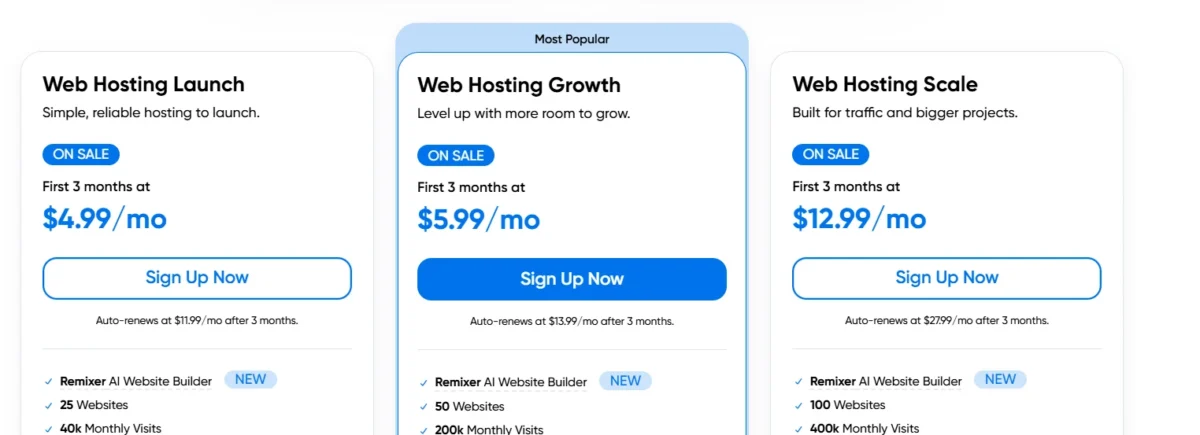
| Plan | Intro Price | Renewal Price |
| Bluehost Basic | $3.99/mo | ~$9.99/mo |
| DreamHost Shared Starter | $4.99/mo | ~$11.99/mo |
Winner: DreamHost. Half the renewal cost, nearly the same features.
Bluehost Plus vs. DreamHost Shared Unlimited
| Plan | Intro Price | Renewal Price |
| Bluehost Plus | $6.99/mo | ~$13.99/mo |
| DreamHost Shared Unlimited | $5.99/mo | ~$13.99/mo |
Winner: DreamHost. Not even close.
More Power: Bluehost Choice Plus and Pro
If you need more sites, unlimited storage, and domain privacy:
- Bluehost Choice Plus starts around
- 5.45/month, renewing near
- 5.45/month, renewing near 24/mo
- Bluehost Pro is even higher
DreamHost doesn’t have a direct middle tier—they jump from Unlimited to VPS.
Managed WordPress: WP Pro vs. DreamPress
| Plan | Intro Price | Renewal Price |
| Bluehost WP Pro (5 sites) | $14.99/mo | ~$21.99/mo |
| DreamPress (1 site) | $12.99/mo | ~$27.99/mo |
Winner: DreamHost again. DreamPress is a screaming deal for managed WordPress.
Which is cheaper, Bluehost or DreamHost?
DreamHost, period.
Their renewal prices are roughly half of Bluehost’s. If you plan to keep your site for more than a year—and you should—DreamHost saves you real money.
Control Panel and Ease of Use
This is where personal preference really kicks in.
DreamHost’s control panel is more complete
DreamHost doesn’t use cPanel. Instead, they built their own custom dashboard.
At first, it feels weird. Nothing is where you expect it. But after a week, you realize: this is actually better.
It’s cleaner. Faster. No cluttered menus. Everything you actually need (email, domains, DNS, databases) is right there. And because it’s not cPanel, it’s not a target for common exploits.
Verdict: Better for non-cPanel users. Great if you’re willing to learn something new.
Bluehost’s control panel is ideal for cPanel users
Bluehost uses standard cPanel. If you’ve ever logged into any shared host before, you’ll feel right at home.
File Manager? There. MySQL databases? Two clicks away. Email accounts? Easy.
But cPanel is aging. It feels cluttered compared to DreamHost’s modern panel. And cPanel licensing fees are part of why Bluehost’s renewal prices keep climbing.
Verdict: Better for cPanel loyalists. Perfect if you move between hosts often.
Winner for beginners: Bluehost (familiar)
Winner for long-term comfort: DreamHost (cleaner once learned)
Bluehost and DreamHost Features Compared
Let’s get into the nitty-gritty.
| Feature | Bluehost | DreamHost |
| Free domain (1 year) | ✅ | ✅ |
| Free SSL | ✅ | ✅ |
| Free email hosting | ✅ | ✅ |
| Storage type | SSD / NVMe | SSD |
| Bandwidth | Unmetered | Unmetered |
| CDN (Cloudflare) | ✅ Free | ✅ Free |
| Daily backups | ❌ (extra cost) | ✅ Free (on higher plans) |
| Domain privacy | ❌ (extra cost) | ✅ Free |
| Money-back guarantee | 30 days | 97 days |
DreamHost quietly includes things Bluehost charges extra for: domain privacy, daily backups, and a much longer refund window.
WordPress Features
Both are WordPress-recommended, but they approach it differently.
Bluehost offers superb features for WordPress
Bluehost’s WordPress onboarding is famously smooth. They ask you a few questions, pick a theme, and boom—your site is built.
They also include a free CDN, automatic WordPress updates, and a staging environment on higher plans.
For a beginner who just wants to start, Bluehost is hard to beat.
DreamHost includes useful AI tools for WordPress
DreamHost’s WordPress tools are more understated but genuinely useful. They recently added AI-powered site builders and content suggestions. Nothing flashy, but helpful if you’re staring at a blank page.
They also offer one-click staging, automated core updates, and a built-in page speed analyzer.
check speed test: tools.pingdom.com
Winner: Tie. Bluehost for ease, DreamHost for value-added tools.
Security Features
Both include:
- Free SSL (Let’s Encrypt)
- DDoS protection
- ModSecurity firewall
- Regular malware scans (DreamHost does it automatically; Bluehost sells it as an add-on)
DreamHost includes free automated daily backups on all managed WordPress plans and VPS. Bluehost charges extra for backups through CodeGuard (about $3/mo).
Winner: DreamHost. Free backups and free domain privacy tip the scales.
Other Essential Features
Bluehost includes features for beginners
Bluehost really understands first-time users. Their onboarding walks you through everything: picking a theme, installing plugins, and even connecting Google Analytics. They also have a built-in “wonder suite” of AI marketing tools (branded as Bluehost WonderSuite).
If you’ve never built a website before, Bluehost holds your hand beautifully.
DreamHost assumes you know a little more—or are willing to learn. That’s not a flaw. It’s just a different audience.
Customer Support: Bluehost vs DreamHost
This is where both have reputations—and both have quirks.
Bluehost:
- 24/7 live chat and phone support
- Fast to connect, friendly agents
- But often scripted and shallow
- Fine for “how do I add an email account?” Not great for “why is my PHP config broken?”
DreamHost:
- 24/7 chat and email support (no phone unless you pay extra)
- Slower initial response, but more knowledgeable
- Their support guides actually solve problems
I’ve had faster answers from Bluehost. But I’ve had better answers from DreamHost.
Winner for emergencies: Bluehost (chat is fast)
Winner for real problem-solving: DreamHost
Which Hosting Is the Winner?
Here’s the honest answer—it depends entirely on you.
Pick Bluehost if:
- You’re building your first website ever
- You want phone support
- You’re comfortable with cPanel and don’t want to learn a new dashboard
- You just want to be done and live
Pick DreamHost if:
- You care about long-term cost (much cheaper renewals)
- You want free daily backups and free domain privacy
- You’re willing to learn a better, cleaner control panel
- You prefer email/chat support over phone calls
- You like 97-day refund windows (no risk to try them)
Conclusion
Bluehost and DreamHost are both reliable hosting providers, but they serve different types of users. Bluehost is the better choice for beginners who want a fast and simple setup with familiar cPanel access.
DreamHost is a stronger option for users who care about lower renewal prices, free backups, and better long-term value. If you are comfortable learning a custom dashboard, DreamHost gives more features for less money.
FAQs
Is Bluehost better than DreamHost for beginners?
Yes, Bluehost is easier for beginners because it uses cPanel and has a simple setup process.
Which hosting is cheaper long-term?
DreamHost is cheaper in the long run because its renewal prices are much lower.
Does DreamHost offer free backups?
Yes, DreamHost includes free daily backups on many plans, while Bluehost charges extra.
Do both hosting providers include a free domain?
Yes, both Bluehost and DreamHost offer a free domain for the first year.
Which hosting has better customer support?
Bluehost gives faster support responses, but DreamHost support is often more detailed and helpful.
Is DreamHost good for WordPress websites?
Yes, DreamHost is officially recommended by WordPress and includes useful WordPress tools.
Which control panel is easier to use?
Bluehost uses cPanel, which most users already know. DreamHost uses a custom panel that feels cleaner after some use.
Do both hosts provide free SSL certificates?
Yes, both hosting companies include free SSL certificates with their plans.
Related

Nitin Alin is the founder of SaaShostly.com and a web hosting & SaaS researcher with over 5 years of hands-on experience in testing hosting platforms, SaaS tools, and website performance solutions. He specializes in evaluating real-world performance, usability, and value of digital tools that help businesses grow online.
Through SaaShostly.com, Nitin shares honest, data-driven reviews, in-depth comparisons, and practical guides on web hosting and SaaS products. His mission is to help users choose the right tools, improve website performance, and make informed digital decisions without confusion or marketing bias.