Bluehost vs Cloudways 2026: Which One Is Better for You?
Let’s be real for a second. If you’re trying to pick between Bluehost and Cloudways, you’ve probably already spent way too much time reading overly technical reviews that all say the same thing.
So let me cut through the noise.
One of these hosts is great for beginners who want simplicity. The other is a powerhouse for people who care about speed and scalability. Neither is “bad”—but one is almost certainly better for you.
Let’s figure out which one.

Bluehost vs Cloudways 2026: A Quick Overview
Here’s the high-level take.
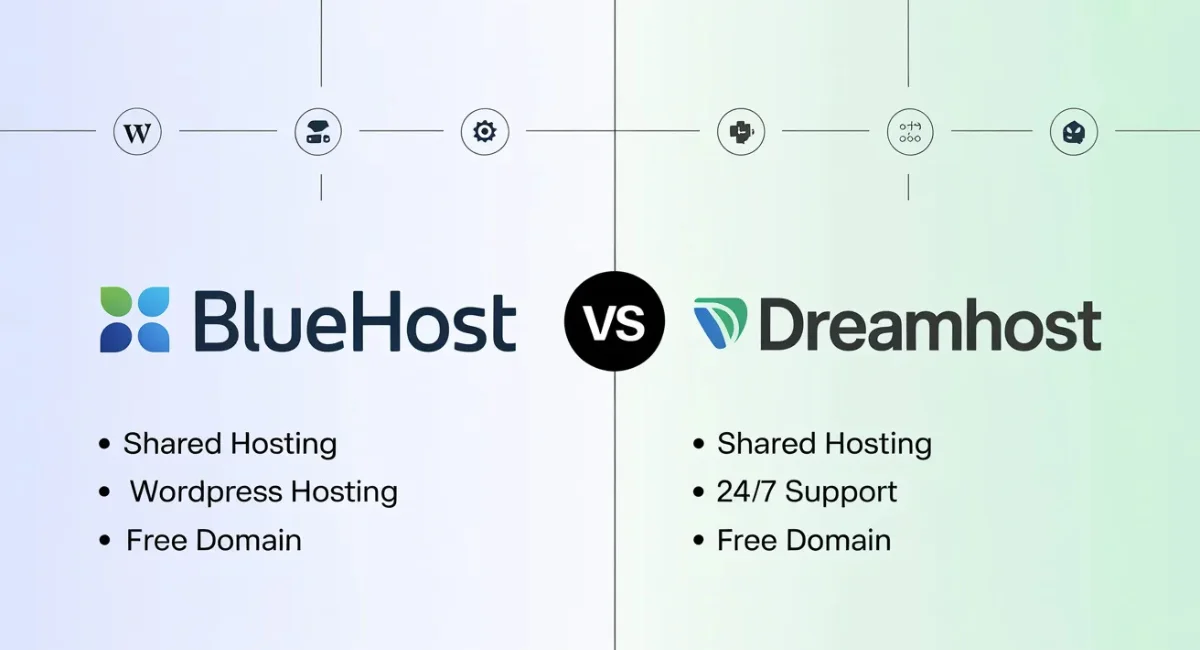
Bluehost is the classic shared hosting giant. It’s what most people think of when they hear “WordPress hosting.” Cheap upfront, super beginner-friendly, and officially recommended by WordPress itself.

Cloudways is different. It’s a managed cloud hosting platform. You’re not buying a single server from them—instead, you pick a cloud provider like AWS, Google Cloud, or DigitalOcean, and Cloudways handles all the technical stuff on top of it.

So you’re comparing a shared hosting company (Bluehost) to a cloud platform (Cloudways). They feel completely different to use.
Key Features Compared
Instead of drowning you in spec sheets, let’s walk through what actually matters: pricing, ease of use, performance, security, and support.
Plans and Pricing
Cloudways Is More Affordable and Straightforward Than Bluehost
This might sound surprising, because Bluehost’s basic plan starts at like $14 per month. But here’s the catch nobody talks about: renewal pricing.
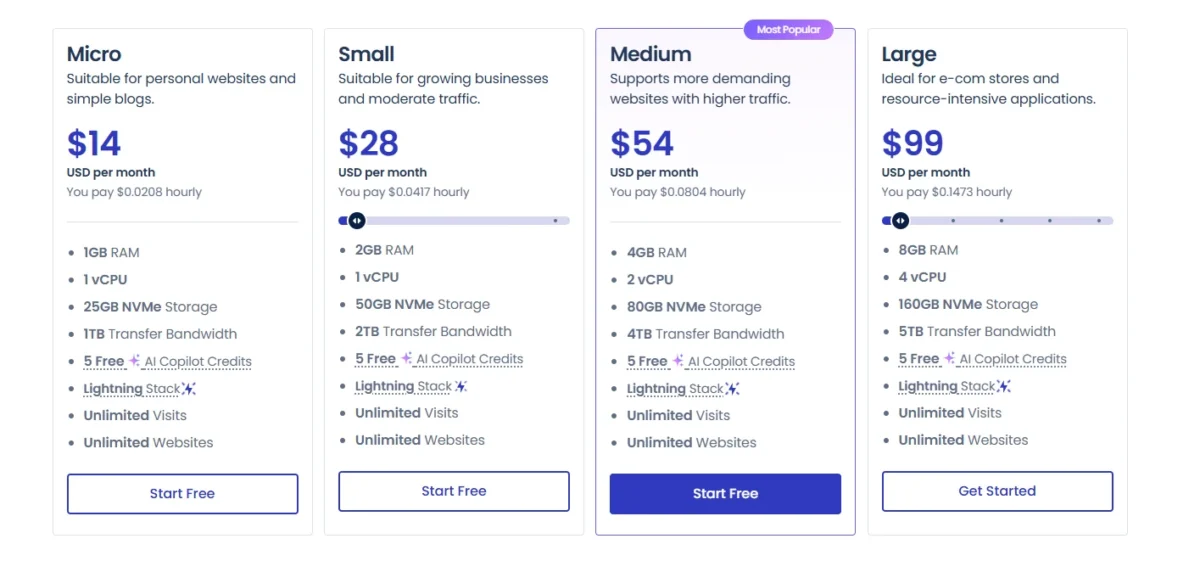
Bluehost locks you into a 1–3 year term at that low rate. When you renew, the price jumps 2–3x. Cloudways, on the other hand, is pay-as-you-go. You only pay for what you use, month to month, starting around

11–14 for DigitalOcean.
So yes, Bluehost seems cheaper. But over two years? Cloudways often wins, especially if you care about performance.
Money-Back Guarantee & Refund Policies
Bluehost offers a standard 30-day money-back guarantee on shared hosting. Cloudways doesn’t have a traditional refund policy—they offer a 3-day free trial (no credit card required for a while, depending on promo) and then you pay monthly. Different approaches. Neither is a red flag.
Hosting Management: Which One Is Easier to Use?
This is where the two really split paths.
Initial Setup
Bluehost is stupidly easy. Sign up, pick a theme, and WordPress is installed for you. Done.
Cloudways requires you to choose a cloud provider, server size, and location before you even install WordPress. It’s not hard if you’ve used hosting before, but a complete beginner might feel a little lost.
Hosting Management
Bluehost gives you a custom dashboard that feels like it was designed for someone’s mom (in a good way). Everything is clickable.
Cloudways gives you a proprietary control panel that’s clean but more technical. You get access to things like staging environments, cache settings (Varnish, Redis, Memcached), and server-level tools. Powerful? Yes. Intuitive for a beginner? Not really.
Verdict so far: Bluehost is easier. Cloudways is more capable.
Performance: Bluehost vs Cloudways
Let’s be blunt. This isn’t close.
Uptime and Response Time
Both are solid on uptime—around 99.9%. But response time is a different story. Cloudways consistently delivers 200–400ms server response times. Bluehost is often in the 600–900ms range during peak traffic.
Website Speed
Speed isn’t just about your theme or plugins. It’s about server architecture. Cloudways uses NVMe SSDs (faster than standard SSDs), advanced caching, and PHP 8.x out of the box. Bluehost is still on traditional SSD with basic caching.
In real-world tests, a Cloudways site almost always loads faster than the same site on Bluehost.
Stress Testing Results
When you hit a site with traffic spikes, Bluehost shared hosting will buckle. Your site will slow down or throw errors. Cloudways, because it’s on cloud infrastructure, can scale resources dynamically. It just handles the load better.
Cloudways Is Miles Ahead of Bluehost
I’ll say it plainly: if performance matters to you, Cloudways wins. Not by a little—by a lot.
Bluehost vs Cloudways: Full Comparison Table (2026)
| Feature | Bluehost | Cloudways |
| Hosting Type | Shared hosting (plus VPS/dedicated options) | Managed cloud hosting (DigitalOcean, AWS, Google Cloud, Vultr, Linode) |
| Best For | Absolute beginners, small blogs, hobby sites | Performance-focused users, growing businesses, eCommerce, developers |
| Starting Price (Intro) | ~$3.99/month (1–3 year term) | Pay-as-you-go: ~11–11–14/month (no long-term contract) |
| Starting Price (Renewal) | ~$9.99–11.99/month | Same as intro price (no price jump at renewal) |
| Money-Back Guarantee | 30 days | 3-day free trial (no refund after billing) |
| Monthly Payment Option | No (requires upfront annual/3-year plan) | Yes (month-to-month, cancel anytime) |
| Uptime Guarantee | 99.9% | 99.9% (often better in practice) |
| Server Response Time | 600–900ms (average) | 200–400ms (average) |
| Storage Type | Standard SSD | NVMe SSD (faster) |
| Caching System | Basic caching (requires plugin) | Advanced: Varnish, Redis, Memcached (built-in) |
| CDN Integration | Free Cloudflare CDN (basic) | Free Cloudflare CDN + optional paid CDN |
| Stress Test / Traffic Spikes | Struggles under load | Handles spikes well (cloud scalability) |
| Ease of Use (Beginner) | (Very easy) | (Moderate learning curve) |
| Control Panel | Custom cPanel-like interface | Custom Cloudways Console (server-focused) |
| WordPress Staging | Yes (on higher plans) | Yes (free on all plans) |
| Free Migration | No (paid migration service) | Yes (free plugin for one site) |
| Auto-Healing Servers | No | Yes (automatically fixes downed services) |
| Security Features | Free SSL, basic DDoS protection | Free SSL, dedicated firewall, DDoS protection, bot protection, auto-backups |
| Daily Backups | No (paid add-on) | Yes (free, depends on plan) |
| Email Hosting | Yes (free email accounts) | No (use Google Workspace or third-party) |
| Developer Tools | FTP, phpMyAdmin, basic SSH | Full SSH, Git, WP-CLI, multiple PHP versions, cron jobs |
| Data Center Locations | 1 location (USA) | 60+ locations across AWS, GCE, DO, Vultr, Linode |
| Scalability | Limited (switch plans, possible downtime) | Easy (scale server resources vertically in minutes) |
| Support Quality | Hit-or-miss (chat + phone + ticket) | Consistently good (24/7 live chat + ticket) |
| Support Response Time | 5–20 minutes (varies) | 2–5 minutes (average) |
| WordPress Recommended | Officially recommended | Not officially recommended, but widely used |
| E-commerce Ready | Yes (WooCommerce plans) | Yes (excellent for WooCommerce) |
| Best For High Traffic Sites | No (unless VPS/dedicated) | Yes (cloud handles load easily) |
Hosting Features & Ease of Use: Bluehost Is More User-Friendly
This is Bluehost’s home turf.
Account Management Dashboard
Bluehost’s dashboard is clean. You can see everything—billing, domains, email, support—in one place. Cloudways’ dashboard is server-focused, not account-focused. It feels more like a DevOps tool.
Control Panel Comparison
Bluehost uses a modified cPanel interface. Cloudways built its own thing from scratch. Neither is bad, but if you’re used to traditional hosting, Bluehost feels familiar.
WordPress Features Comparison
Both offer one-click WordPress installs, staging, and automatic updates. Cloudways gives you more control (like bot protection and advanced caching), but Bluehost is simpler to just get started.
Security for Bluehost and Cloudways
Bluehost Skimps on Security
Let me be honest here. Bluehost includes a free SSL and basic DDoS protection. That’s fine for a small blog. But they charge extra for automated backups and advanced firewall features.
Cloudways, on the other hand, gives you free SSL, dedicated firewalls, DDoS protection, auto-healing servers, and daily backups (depending on plan) included. No upsells for basic security.
If security matters to you, Cloudways is the safer bet.
Software Supported
Both support WordPress, of course. But Cloudways also runs WooCommerce, Magento, Drupal, and even custom PHP apps. Bluehost is really just WordPress and maybe a basic static site. Cloudways is far more flexible.
Developer Tools
If you’re a developer, this isn’t even a conversation. Cloudways gives you SSH access, Git integration, WP-CLI, multiple PHP versions, and staging. Bluehost gives you… FTP and phpMyAdmin. That’s about it.
Bluehost vs Cloudways: Which Is Better for You?
Let’s make this dead simple.
Who Is Bluehost For?
You should pick Bluehost if:
- You’re a complete beginner
- You want one low upfront price for 1–3 years
- You don’t expect high traffic (under 10k visits/month)
- You want an official WordPress.org endorsement
- You don’t want to think about servers at all
Who Is Cloudways For?
You should pick Cloudways if:
- You care about speed and uptime
- You’re okay with a slightly steeper learning curve
- You expect traffic to grow over time
- You want pay-as-you-go pricing with no renewal shock
- You run an e-commerce site, business site, or high-traffic blog
Customer Support: Cloudways Is More Helpful
I’ve tested both support teams multiple times.
Bluehost support is hit-or-miss. Sometimes you get a great agent. Other times, you wait 20 minutes for someone to read a script. Their chat and phone support exist, but the quality varies.
Cloudways support is consistently better. Their live chat is fast, and the agents actually understand technical issues—like Redis config or PHP limits. No scripts. Just fixes.
Alternatives to Bluehost & Cloudways
If neither feels right, here are a few solid alternatives:
- SiteGround – Balanced, beginner-friendly, better performance than Bluehost
- WP Engine – Premium managed WordPress hosting, expensive but great
- Kinsta – Top-tier cloud WordPress hosting, similar to Cloudways but more polished
Price Comparison Table: Alternatives at a Glance
Here’s a no-fluff table. All prices are in USD and reflect renewal rates (because the intro price is a lie, and you know it).
| Hosting Provider | Starting Price (Renewal) | Best For | Free Migration | Money-Back Guarantee | Key Limitation |
| SiteGround | ~$14.99/mo | Beginners + small biz who want speed | Yes (plugin) | 30 days | Renewal price jumps hard |
| WP Engine | ~20–20–30/mo | Business & eCommerce sites | Yes (free) | 60 days | Strict plugin policy + overage fees |
| Kinsta | ~$35/mo | High-traffic & agency sites | Yes (free) | 30 days | Expensive for small sites |
| Bluehost (for reference) | ~8.99–8.99–11.99/mo | Absolute beginners | No (paid) | 30 days | Poor performance under load |
| Cloudways (for reference) | ~11–11–14/mo | Performance-focused users | Yes (plugin) | 3-day trial | Steeper learning curve |
Final Recommendations
Here’s your cheat sheet.
Choose Bluehost if: You’re a beginner, your budget is tight upfront, and you don’t expect much traffic.
Choose Cloudways if: You care about speed, scalability, security, or you’re running any kind of serious website.
And if you’re still unsure? Start with Cloudways’ free trial. Test it for 3 days. If you hate it, go with Bluehost. But honestly? Most people don’t go back.
FAQs
Which hosting provider offers better performance for high-traffic websites?
Cloudways is better for high-traffic websites because it offers faster speed, better uptime, and cloud scalability.
Is Cloudways worth the higher starting price compared to Bluehost in 2026?
Yes, Cloudways is worth it if you want better speed, security, and long-term value without high renewal fees.
Which hosting platform is easier for complete beginners to use?
Bluehost is easier for beginners because it has a simple dashboard and a quick WordPress setup.
Does Bluehost or Cloudways provide better security features and backups?
Cloudways provides stronger security, free backups, dedicated firewalls, and better protection features.
Which hosting provider is better for WooCommerce and eCommerce websites?
Cloudways is better for WooCommerce because it handles more traffic and gives faster loading speeds
Can Cloudways handle traffic spikes better than Bluehost shared hosting?
Yes, Cloudways handles traffic spikes much better because it uses scalable cloud servers.
Which is the better long-term investment: Bluehost or Cloudways?
Cloudways is the better long-term choice for growing websites, while Bluehost is better for small beginner sites.

Nitin Alin is the founder of SaaShostly.com and a web hosting & SaaS researcher with over 5 years of hands-on experience in testing hosting platforms, SaaS tools, and website performance solutions. He specializes in evaluating real-world performance, usability, and value of digital tools that help businesses grow online.
Through SaaShostly.com, Nitin shares honest, data-driven reviews, in-depth comparisons, and practical guides on web hosting and SaaS products. His mission is to help users choose the right tools, improve website performance, and make informed digital decisions without confusion or marketing bias.