Hostinger vs Hosting.com: Which Is Better for WordPress?
If you’re trying to choose between Hostinger and Hosting.com, you’re probably wondering which one is actually worth your money. With so many hosting providers making similar promises about speed, uptime, and support, it’s easy to feel confused about which option will give you the best value for your website.
In this Hostinger vs Hosting.com comparison, we’ll break down the key differences in pricing, performance, features, ease of use, and customer support. By the end of this guide, you’ll have a much clearer idea of which hosting provider is the better fit for your needs and budget.
Hosting. com vs Hostinger: Quick Summary
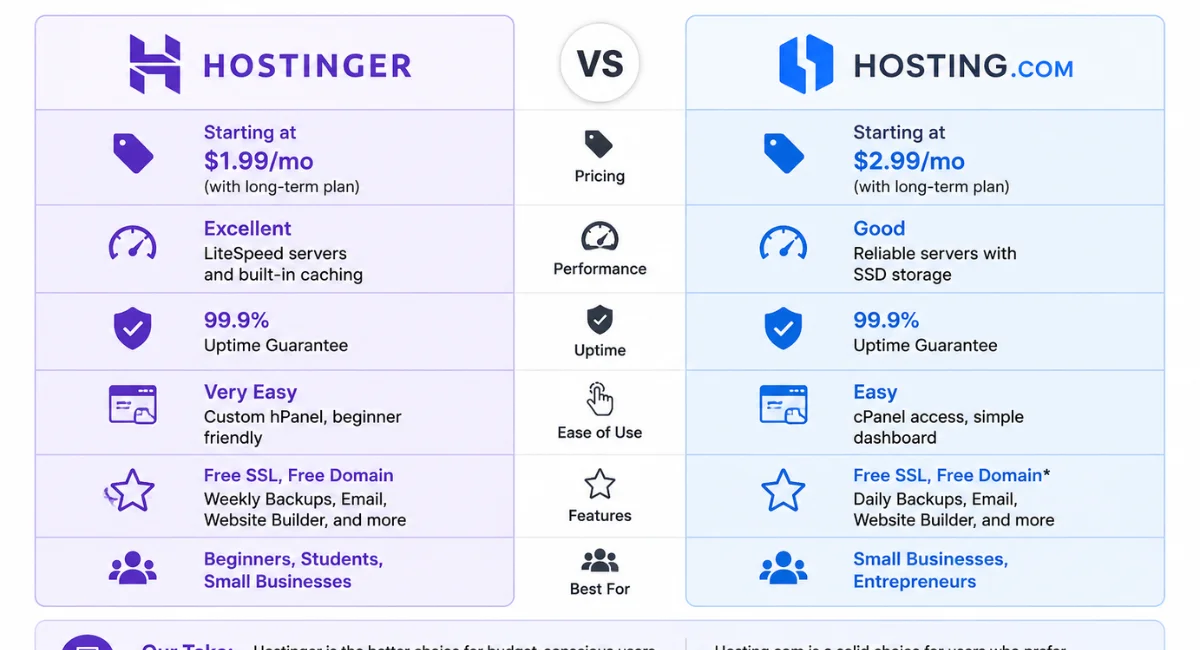
If you need a quick answer, here it is. Hostinger wins for speed, value, and beginner-friendly tools. Hosting.com focuses more on enterprise solutions and managed services. For most small businesses and personal blogs, Hostinger gives you more bang for your buck.
However, don’t write off Hosting.com just yet. It offers solid uptime and strong security features that larger companies might prefer. The right choice really depends on your budget and technical skill level. Let’s dig into the details so you can see which one fits your needs.
Background and Overview
Hostinger started in 2004 and has grown into a massive player in the affordable hosting space. They now power over 2 million websites worldwide. Their claim to fame is combining low prices with surprisingly fast performance using LiteSpeed web hosting and NVMe SSD storage.
Hosting.com (formerly Hosting.com) targets a different crowd. They focus on managed WordPress hosting, cloud solutions, and services for agencies and eCommerce websites. You won’t see their crazy-low $2.99 plans because they’re not chasing that market. Instead, they emphasize reliability and white-glove support.
Hostinger vs Hosting.com: Hosting Plan Features
Here are the key plan features you need to know for Hostinger vs Hosting.com:
- Shared hosting plans – Hostinger starts at $2.99/mo; Hosting.com starts higher
- Managed WordPress hosting – Both offer it, but Hostinger includes more automated tools
- VPS hosting comparison – Hostinger’s VPS is cheaper and more customizable
- WooCommerce hosting – Hostinger has specialized eCommerce plans; Hosting.com focuses on broader agency needs
- Free domain – Hostinger includes it on annual plans; Hosting.com does not
- Free SSL certificate – Both include free SSL for all websites
- NVMe SSD hosting – Hostinger uses NVMe on most plans; Hosting.com still uses standard SSDs
- LiteSpeed web hosting – Hostinger uses LiteSpeed with built-in caching; Hosting.com uses Apache/Nginx
- Turbo hosting servers – Hostinger’s Turbo plans boost speed by up to 3x
- cPanel hosting – Hosting.com uses standard cPanel
- hPanel hosting – Hostinger built its own custom dashboard called hPanel
- AI website builder hosting – Hostinger includes an AI builder; Hosting.com doesn’t
- Email hosting – Hostinger includes email; Hosting.com requires an add-on
- Daily backups – Hostinger offers weekly backups on basic plans; Hosting.com includes daily backups
- Staging environment – Both offer staging, but Hostinger’s is one-click
- CDN integration – Both include free CDN
- Developer-friendly hosting – Hosting.com gives you more root access; Hostinger limits some advanced features
- Hosting migration services – Both offer free migration, but Hostinger’s is automated
- Money-back guarantee – Hostinger gives 30 days; Hosting.com gives 30 days as well
- Scalable hosting solutions – Both support scaling, but Hosting.com makes upgrades easier
Hostinger vs Hosting.com: Differences
The biggest difference comes down to control versus convenience. Hostinger built its own hPanel, which feels modern and clean but takes some getting used to. Hosting.com sticks with cPanel, so if you’ve used other hosts before, you’ll feel right at home.
Pricing separates them even more. Hostinger openly targets beginners and budget-conscious users with affordable hosting plans starting under three dollars. Hosting.com doesn’t play that game. Their plans begin around $15–$20 per month, but you get more hands-on support and better uptime guarantees.
Hostinger vs Hosting.com: WordPress
For WordPress users, Hostinger delivers a smoother out-of-the-box experience. They offer one-click WordPress installation, automatic updates, and a plugin that handles caching and image optimization. Their managed WordPress hosting includes a staging area and malware scanning on higher tiers.
Hosting.com takes a more hands-off managed approach. They optimize your WordPress environment behind the scenes but give you fewer buttons to push. If you want to tweak every setting, you might feel restricted. But if you just want your site to work without touching technical stuff, their approach works great.
Hostinger vs Hosting.com: Details
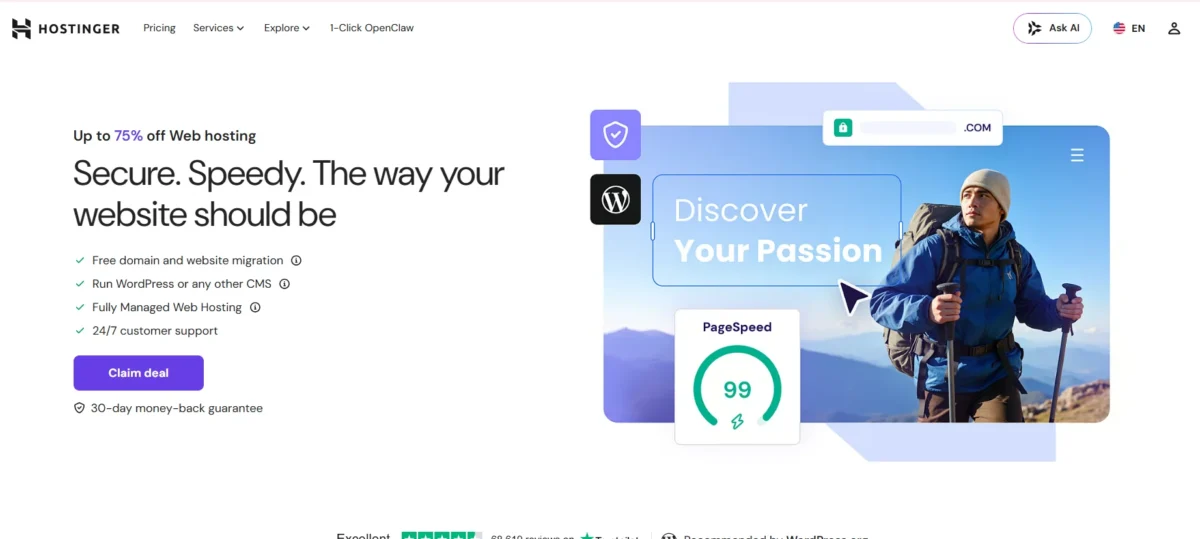
Let’s get into the nitty-gritty. Hostinger offers unlimited free SSL certificates, bandwidth on most plans, and up to 100 websites on their top shared plan. They also provide a 99.9% uptime guarantee and will credit your account if they fall short.
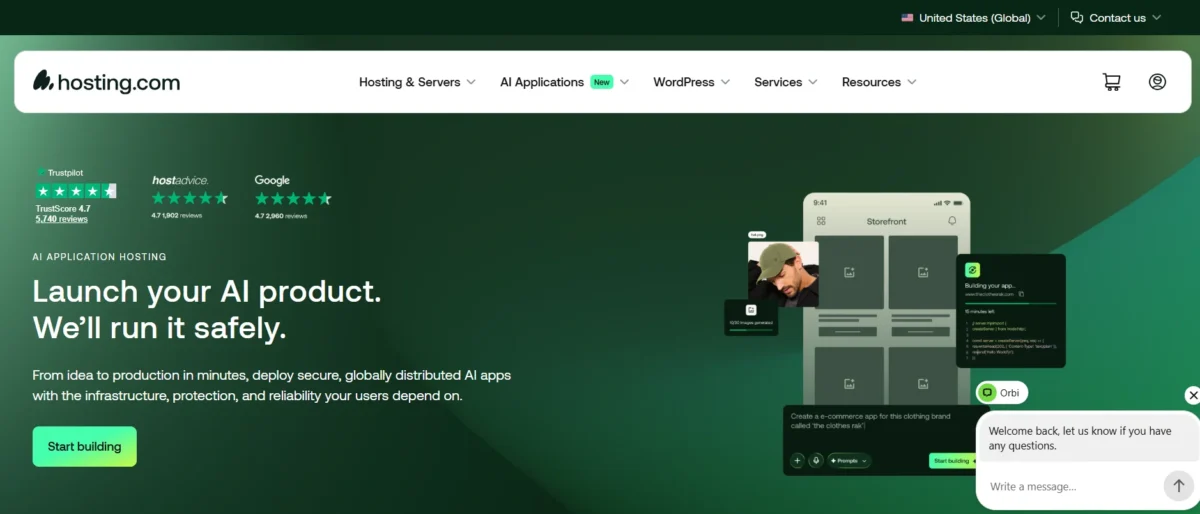
Hosting.com provides unmetered bandwidth, daily malware scans, and SOC2 compliance for security-conscious businesses. They also include DDoS protection and web application firewalls on all plans. For agencies hosting client sites, these extra layers matter a lot.
Hostinger vs Hosting.com: Website Speed
Speed is where Hostinger really shines. Their use of LiteSpeed web servers combined with NVMe SSD hosting creates a fast web hosting environment that loads pages in under 500 milliseconds on most tests. The Turbo plans add even more horsepower with dedicated resources.
Hosting.com isn’t slow by any means. Their infrastructure is solid and reliable. But they don’t emphasize speed optimization as a core feature. You’ll get consistent performance, not record-breaking speeds. For most business sites, that’s perfectly fine.
Security Features
Both platforms take security seriously. Hostinger includes free SSL, Cloudflare protection, automated backups, and two-factor authentication. They also monitor for known vulnerabilities and will patch your WordPress core automatically if you enable it.
Hosting.com goes a step further with enterprise-level protection. They offer DDoS mitigation, intrusion detection, and nightly malware scans. You also get SOC2 Type II certification, which matters if you handle sensitive customer data. For eCommerce websites, this extra layer brings peace of mind.
Scalability and Growth Potential
Starting small? Hostinger makes it easy to scale up. You begin on shared hosting plans, then move to cloud or VPS hosting without migrating your files. Their control panel lets you upgrade resources with one click.
Hosting.com builds scalability into its DNA. They target fast-growing companies that might outgrow shared hosting within months. Their VPS and dedicated server options integrate seamlessly with their managed WordPress plans. You won’t hit a ceiling with them, but you’ll pay more to avoid it.
Ease of Use Comparison: Which Platform Is Easier to Use?
Registration and Creating a New Account
Signing up with Hostinger takes about two minutes. You pick a plan, enter your email, and pay. They don’t run credit checks or ask for phone verification. Within five minutes, you can install WordPress and start building.
Hosting.com asks for more information up front. They want to understand your project before approving your account. For business users, this feels professional. For a personal blogger, it feels like a hassle. The registration process takes longer, but you get a dedicated account manager on higher plans.
Client Area and Dashboard
Hostinger’s hPanel looks nothing like traditional hosting dashboards. It uses large icons, clear labels, and hides advanced settings until you need them. Beginners love this. Experienced users might find it too simplified, but you can access everything with a few clicks.
Hosting.com uses standard cPanel. If you’ve ever used Bluehost, GoDaddy, or SiteGround, you already know how to navigate it. File manager, databases, email accounts—they’re all right where you expect them. No learning curve, but also no modern design improvements.
Privacy and Security Comparison: Which Platform Is More Secure?
Hosting.com Privacy and Security
Hosting.com treats security like a feature they sell, not an afterthought. They offer end-to-end encryption for data transfers, regular third-party audits, and role-based access controls for team accounts. Their privacy policy clearly states they don’t sell your data to advertisers.
You also get free WHOIS privacy on domain registrations. That keeps your personal address and phone number out of public databases. For anyone running a business from home, this is non-negotiable.
Hostinger Privacy and Security
Hostinger covers all the basics well. Free SSL, automatic updates, and a web application firewall come standard. They also offer two-factor authentication and will lock your account if they detect suspicious login attempts.
However, Hostinger’s privacy policy allows it to share anonymized data with partners. Most users won’t care about this. But if you run a privacy-first brand, read their terms carefully. They’re not as locked down as Hosting.com.
Server Locations Comparison: Which Platform Gives You More Control?
Hosting.com ServerLocations
Hosting.com operates data centers in North America and Europe. You can choose between US East, US West, London, and Frankfurt. This covers most English-speaking markets well but leaves out Asia and Australia.
You cannot manually select your server during signup. Their system assigns you one based on your billing address. For global audiences, that lack of control might frustrate you.
Hostinger Server Locations
Hostinger gives you seven regions to choose from: the USA, UK, Netherlands, Lithuania, Singapore, Brazil, and Indonesia. You pick your server during setup, and you can change it later by contacting support.
More locations mean better website speed optimization for international visitors. If your audience spans multiple continents, Hostinger’s flexibility helps a lot. Plus, their LiteSpeed web hosting performs well regardless of where your server sits.
Pros, Cons, Hostinger vs Hosting.com
Hostinger Pros:
- Much lower prices starting at $2.99/month
- Faster load times with LiteSpeed and NVMe SSDs
- Modern hPanel that beginners find intuitive
- Free domain and SSL on most plans
- 30-day money-back guarantee
- AI website builder included
- Seven global server locations
Hostinger Cons:
- No cPanel (if you’re used to it)
- Phone support is limited
- Basic plans have fewer daily backups
- Privacy policy shares anonymized data
Hosting.com Pros:
- Enterprise-grade security features
- Standard cPanel feels familiar
- Excellent uptime track record
- Dedicated account manager for higher plans
- SOC2 compliance for data protection
- Daily malware scans included
Hosting.com Cons:
- Much more expensive (starting around $15–20/month)
- Fewer server locations
- No free domain
- The registration process takes longer
- Not ideal for beginners on a budget
Hosting. com vs Hostinger: The Bottom Line
You won’t go wrong with either company. Both provide secure web hosting with solid uptime and professional support. The real question is what you value more: saving money or getting enterprise features.
Choose Hostinger if you want affordable hosting plans that still deliver fast web hosting speeds. It’s perfect for personal blogs, small business sites, and anyone just starting their first website. The AI website builder and free domain make the setup painless.
Choose Hosting.com if you run an agency or eCommerce website that needs top-tier security. Their managed WordPress hosting and hands-on support justify the higher price. You’ll sleep better knowing your customer data stays locked down.
Conclusion
After comparing every angle of Hostinger vs Hosting.com, the winner depends on your specific situation. Hostinger dominates for value, speed, and beginner-friendly tools. You can launch a fast, secure WordPress site for less than a coffee subscription. Their LiteSpeed servers and NVMe storage beat most competitors at twice the price.
Hosting.com serves a different audience. You pay more, but you get enterprise security, SOC2 compliance, and a dedicated account manager. For agencies hosting client sites or eCommerce stores processing payments, that extra cost brings real peace of mind.
So here’s my straight advice. If you’re on a budget or just starting, pick Hostinger. You’ll get fast web hosting, a free domain, and room to grow. If you need white-glove support and bank-level security, spend more on Hosting.com. Either way, you’ve got a reliable partner for your website journey.
FAQs
Which is cheaper, Hostinger or Hosting.com?
Hostinger is significantly cheaper, with shared hosting plans starting at $2.99/month compared to Hosting.com’s $15–$20 entry point
Does Hostinger offer better speed than Hosting.com?
Yes, Hostinger uses LiteSpeed web hosting and NVMe SSD storage for faster page loads.
Which host is better for WordPress beginners?
Hostinger is easier for beginners thanks to its hPanel dashboard and one-click WordPress installation.
Does Hosting.com include a free domain?
No, Hosting.com does not offer a free domain. Hostinger includes one on annual plans.
Can I migrate my existing site for free?
Both hosts offer free migration services, but Hostinger’s process is more automated.
Which platform has better customer support?
Hosting.com offers more hands-on managed support; Hostinger provides 24/7 live chat.
Is Hostinger good for e-commerce websites?
Yes, Hostinger has dedicated WooCommerce hosting plans with pre-installed store features.

Nitin Alin is the founder of SaaShostly.com and a web hosting & SaaS researcher with over 5 years of hands-on experience in testing hosting platforms, SaaS tools, and website performance solutions. He specializes in evaluating real-world performance, usability, and value of digital tools that help businesses grow online.
Through SaaShostly.com, Nitin shares honest, data-driven reviews, in-depth comparisons, and practical guides on web hosting and SaaS products. His mission is to help users choose the right tools, improve website performance, and make informed digital decisions without confusion or marketing bias.