10 Best Project Management Software Tools in 2026
Choosing the right project management software depends on team size and project scope. Some task management tools are ideal for small teams, while others support large, complex projects.
This 2026 guide shows the best workflow management platforms for every business need. Discover which collaboration software fits your projects and boosts productivity.
What is Project Management Software?
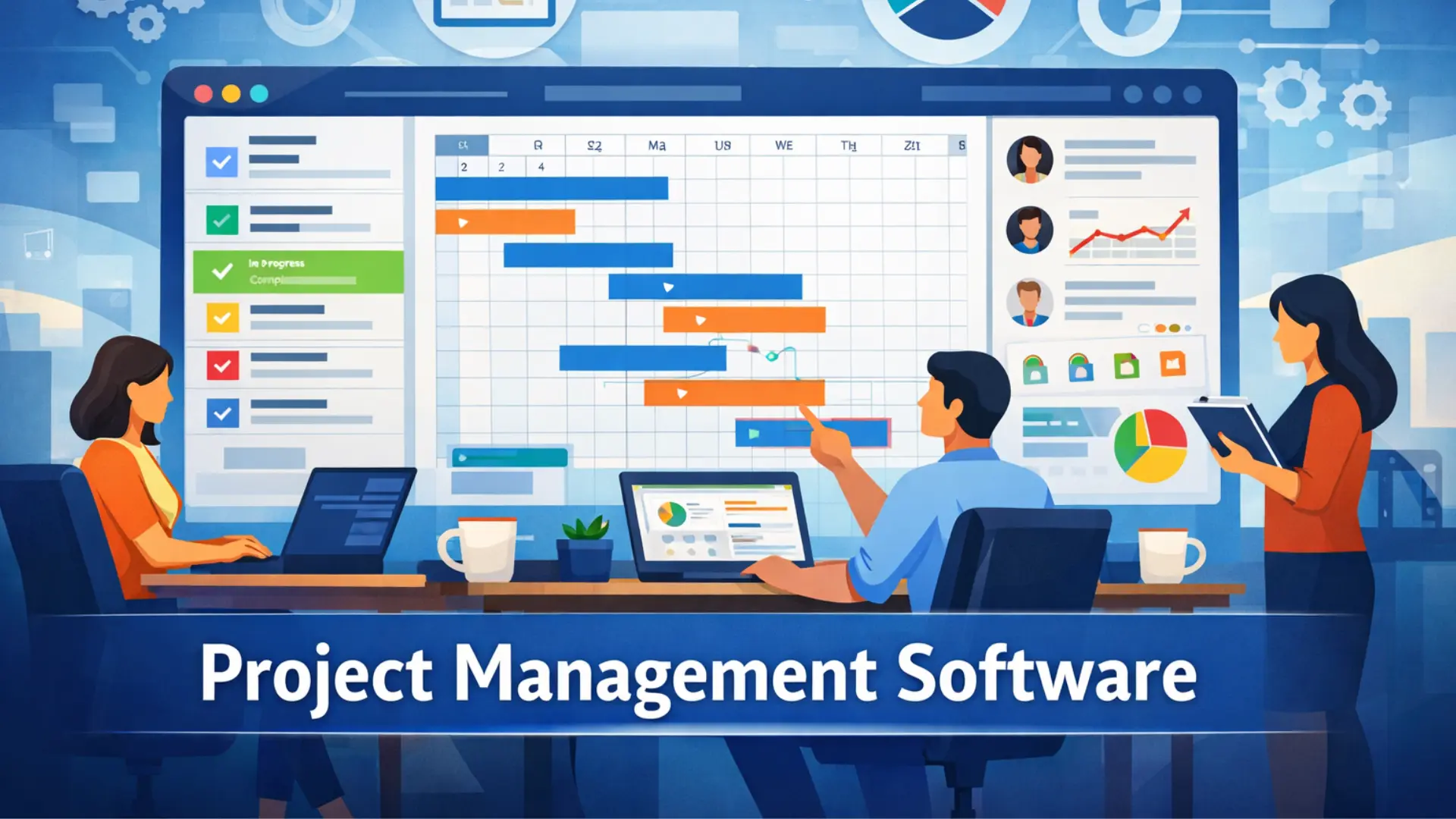
Project Management Software is a digital tool that helps teams plan, organize, assign, and track projects efficiently. It supports scheduling, resource allocation, budget management, and team communication, while centralizing project data and automating routine tasks.
From simple task tracking to complex, multi-phase projects, web-based platforms enhance coordination, accountability, and overall project execution across industries.
Definition and Purpose
Project management software helps teams plan projects and track progress with project-tracking tools. It centralizes communication, reduces risks, and ensures deadlines and budgets are met. Key features include task management, Gantt charts, Kanban boards, and reporting dashboards.
It boosts productivity with automated workflows, offers real-time project visibility, and improves collaboration across teams. Available as cloud, desktop, or enterprise solutions, it is ideal for complex or long-term projects.
Key Benefits for Businesses
- Centralized Planning: Keep all project plans and documents in one place.
- Task Management: Assign and track tasks efficiently.
- Collaboration: Improve team communication and cooperation.
- Resource Optimization: Allocate resources effectively.
- Progress Tracking: Monitor real-time updates and reports.
- Risk Management: Identify and handle potential issues promptly.
Why Companies and Startups Need Project Management Software
Project management software helps companies and startups streamline workflows and boost team efficiency. It supports better resource use, budget control, and meeting deadlines. These tools also keep teams aligned with strategic objectives for smarter decision-making.
Streamlining Workflows
Automating routine tasks significantly boosts efficiency, allowing teams to focus on higher-priority work. This approach saves valuable time each week, which is especially important in the fast-moving setting of a startup.
Enhancing Team Collaboration
Project management software boosts team collaboration by centralizing communication and task management. It allows instant feedback and keeps everyone updated in real time. Teams can work seamlessly, whether remote, hybrid, or in-office.
Managing Resources and Budgets
Project management software streamlines how teams handle resources and budgets. It tracks spending, monitors workloads, and keeps projects on schedule. This reduces waste and boosts overall efficiency.
Top 10 Project Management Software in 2026
The chart provides a clear overview of pricing for leading project management software. It helps businesses compare costs and choose the best option for their budget and needs. Each software’s plan and price are highlighted for easy decision-making.
|
Tool |
Best For |
Trial Info |
Pricing Overview |
Reviews |
|
|
1 |
Visual Workflow Management |
Free plan available |
Free (2 users): Basic $9/seat/mo: Standard $12/seat/mo: Pro $19/seat/mo |
||
|
2 |
All-in-One Consolidation |
Free Forever |
Unlimited $7/user/mo: Business $12/user/mo |
||
|
3 |
Software Development Teams |
Free (up to 10 users) |
Standard $7.75/user/mo: Premium $15.25/user/mo |
||
|
4 |
Complex Cross-Team Workflows |
Free plan + 14-day trial |
Team $10/user/mo: Business $25/user/mo |
||
|
5 |
Cross-Department Adoption |
Free plan available |
Personal $0: Starter $13.49/user/mo: Advanced $30.49/user/mo |
Asana Review |
|
|
6 |
Spreadsheet-style PM & automation |
30-day free trial |
Pro: $7/user/month |
Smartsheet Review |
|
|
7 |
Simple Kanban Workflows |
Free plan available |
Free: Standard $5/user/mo: Premium $10/user/mo |
Trello Review |
|
|
8 |
Spreadsheet-Database Hybrid |
Free plan available |
Free: Team $20/seat/mo: Business $45/seat/mo |
Airtable Review |
|
|
9 |
Client-focused PM & task tracking |
30-day free trial |
Free: basic |
Teamwork |
|
|
10 |
Free-Flowing Project Planning |
Free plan available |
Free; Starter $8/user/mo: Business $16/user/mo |
Miro Review |
1. monday.com – Best for Visual Workflow Management
Monday.com is a project management platform built to enhance team efficiency and simplify workflow coordination. It allows teams to organize, monitor, and manage tasks using color-coded boards, adaptable views, and automation that handles repetitive work. Its integration capabilities and AI features make it suitable for startups, expanding teams, and large organizations managing several projects at once.
The platform focuses on visual clarity, giving teams a clear overview of project progress and enabling quick plan adjustments. Its adaptable design accommodates various functions, including marketing, development, and operations. Monday.com also promotes collaboration across departments, helping teams work together seamlessly without losing track of deadlines or responsibilities.
Overall, monday.com combines customization, automation, and cross-functional support to streamline project management. Teams benefit from a centralized workspace that improves visibility, reduces repetitive tasks, and keeps multiple projects on track efficiently.
Key Features
- Visual Boards & Dashboards –
Color‑coded boards and dashboards provide real‑time tracking of projects, deadlines, and task owners. This visual clarity reduces confusion and helps teams prioritize work.- Multiple Work Views –
Supports Kanban, Timeline, Gantt, Calendar, Table, and Map views, allowing teams to switch perspectives as needed. For example: Kanban for sprint planning - Gantt for project timelines
- Calendar for deadlines and events
- Multiple Work Views –
- Automation Recipes –
Pre‑built automation workflows handle routine tasks like status updates, approvals, and reminder notifications. This saves time and prevents manual errors. - 200+ Integrations –
Works with tools teams already use, including Slack, Jira, Salesforce, Google Workspace, Microsoft Teams, Zoom, and more. Integrations centralize communication and data flow. - AI‑Powered Tools –
Built‑in AI assists with workflow creation, generating insights, drafting content, and predicting task delays — acting as a virtual project assistant. - Templates Library – templates for marketing plans, event planning, product launches, CRM, and more — helping teams set up workflows in minutes.
Pros & Cons
✅ Pros:
- Highly intuitive and visual interface
- Flexible views for different workflow styles
- Automation boosts efficiency
- Large template library speeds project setup
- Wide app integrations
⚠️ Cons:
- Minimum user requirements can be expensive for small teams
- Time tracking is only available in higher plans
- Tasks can’t link across boards without workarounds
Pricing Overview
- Free –
- Best For: Up to 2 users, basic boards & templates
- Standard – ~$12/user/month
- Best For: Adds Gantt view, automations, workflow tools
- Pro – ~$19/user/month
- Best For: Advanced reporting, time tracking, resource management
- Enterprise – Custom Pricing
- Best For: Portfolio reporting, enterprise security
2. ClickUp – Best for All-in-One Consolidation
ClickUp is a versatile project management platform that centralizes multiple business tools into a single workspace, reducing the need to juggle separate apps.
It supports task management, project documentation, goal tracking, and team communication, making workflows smoother for teams of all sizes.
By combining planning, collaboration, and reporting features in one platform, ClickUp saves time, boosts productivity, and helps teams stay aligned from project start to finish.
Key Features
- Centralized Workspace – ClickUp allows teams to manage tasks, Docs, Whiteboards, Dashboards, and chat all in one place. This eliminates app switching, making project oversight faster and reducing errors caused by fragmented tools.
- ClickUp Brain (AI) – The built-in AI assistant helps with generating content, automating project updates, and performing cross-app searches. Teams can create meeting notes, draft tasks, and find relevant files using AI-powered recommendations.
- Document Management – ClickUp Docs enables the creation of wikis, SOPs, and project notes linked directly to tasks. Teams can collaborate in real-time on documents, track revisions, and store all project-related information in a single repository.
- Time & Goal Tracking – Built-in time tracking, Gantt charts, and goal dashboards help teams monitor progress, deadlines, and resource allocation without relying on separate tools. Managers can see workloads, measure productivity, and adjust timelines efficiently.
- Customization & Hierarchy – ClickUp supports flexible structures with Spaces, Folders, and Lists. Workflows can be tailored for simple tasks or complex projects, ensuring alignment with team needs and organizational hierarchy.
- Seamless Integration – Connects with popular tools like Slack, Google Drive, Zoom, and GitHub. Integrations reduce duplicate work and centralize information for smoother collaboration.
- Automation – Teams can automate recurring tasks, status updates, and notifications. This reduces manual effort, saving hours weekly and preventing missed deadlines.
Pros & Cons
✅ Pros:
- Free plan includes multiple premium project views and collaboration features.
- Tasks can be created offline and synced later.
- Highly flexible task and workflow customization.
- A centralized platform reduces the need for multiple apps.
⚠️ Cons:
- The interface may feel cluttered without initial setup.
- Advanced AI features and automation require paid plans.
- Free plan storage is limited to 60MB.
- Some advanced reporting and integrations are locked behind higher-tier plans.
Pricing Overview
- Free Forever Plan – Ideal for small teams starting projects. Supports unlimited members, Kanban boards, sprint management, and basic dashboards.
- Unlimited Plan ($7/user/month) – Adds project integrations, Gantt charts, time tracking, and resource management. Perfect for growing teams needing more control and visibility.
- Business Plan ($12/user/month) – Includes timeline views, workload management, advanced reporting, and priority support. Best for teams managing multiple projects with complex workflows.
- Enterprise Plan (Custom Pricing) – Offers single sign-on (SSO), custom roles, enhanced permissions, and dedicated support. Tailored for large organizations with high-security and compliance requirements.
3. Jira – Best for Software Development Teams
Jira Software is a top Agile project management tool designed for software development teams. It provides customizable workflows for Scrum, Kanban, and bug tracking, helping teams manage tasks efficiently. Developers can streamline the software development lifecycle while keeping projects on track.
The platform also supports advanced CI/CD integration and detailed development reporting tools. Teams can monitor progress, track code changes, and improve release planning. Jira is ideal for startups and large organizations seeking Agile software project management solutions.
Key Features
- Agile Project Management – Scrum boards for sprint planning and Kanban boards for continuous workflow tracking.
- Bug and Issue Tracking – Centralized system to log, prioritize, and monitor bugs throughout development.
- Customizable Workflows – Define unique workflow stages to match the team’s process.
- Agile Reporting & Insights – Real-time charts and reports to monitor progress and team capacity.
- Automation Engine – Automate repetitive tasks like assigning work or updating status.
- Development Integrations – Connect with CI/CD tools, GitHub, Bitbucket, and Confluence for live code tracking.
- Backlog Management – Prioritize and manage product backlogs efficiently.
- Roadmaps & Planning – Create project roadmaps, manage dependencies, and plan strategic goals.
- Work in Progress (WIP) Limits – Set limits on Kanban boards to reduce bottlenecks and maintain focus.
Pros & Cons
✅ Pros:
- Comprehensive Agile tools, including story points, epics, sprints, and burndown charts.
- Supports thousands of third-party integrations for seamless workflows.
- Advanced reporting features to track progress and team performance.
⚠️ Cons:
- Can be difficult to learn for new users.
- Collaboration features are somewhat limited.
- Terminology is developer-focused and may confuse beginners.
Pricing Overview
- Free – Supports up to 10 users with reporting, list, timeline, and calendar views.
- Standard – $9.05/user/month; includes AI agents, guest access, and customizable user roles.
- Premium – $18.30/user/month; adds approval workflows and dependency management features.
- Enterprise – Custom pricing; offers advanced admin controls and cross-product insights for large organizations.
4. Wrike – Best for Complex Cross-Team Workflows
Wrike is an AI-powered project management platform that links cross-functional teams for large and complex projects. Its workflow automation software helps businesses streamline operations and maintain a single source of truth across departments.
The platform excels at handling complex dependencies and customizable work processes, allowing organizations to manage intricate tasks efficiently. Teams benefit from cross-team collaboration tools that reduce delays and improve project visibility.
Key Features
- Custom Workflows & Request Forms: Standardizes processes using dynamic forms, blueprints, and custom fields for smooth project intake.
- AI-Powered Automation: Automates repetitive tasks, predicts risks, and recommends workflow improvements with intelligent algorithms.
- 360° Visibility & Reporting: Offers real-time Gantt charts, Kanban boards, and dashboards to track KPIs, resources, and team capacity.
- Cross-Tagging: Allows tasks or folders to exist in multiple locations, enabling teams to collaborate without duplicating work.
- Extensive Integrations: Supports over 400 apps, including Microsoft Teams, Salesforce, Adobe Creative Cloud, and Slack.
Pros & Cons
✅ Pros:
- Scales well for large, multi-team projects.
- Highly customizable for business-specific workflows.
- Enterprise-grade security with encryption and role-based access.
⚠️ Cons:
- Steep learning curve with a complex interface.
- Higher pricing for advanced features.
- Folder structure can be rigid for agile teams.
Pricing Overview
- Free: Basic task management features.
- Team ($10/user/month): Designed for small teams.
- Business ($25/user/month): Offers customization, reporting, and AI tools.
- Enterprise/Pinnacle: Tailored solutions with custom pricing for large organizations.
5. Asana – Best for Cross-Department Adoption
Asana excels at uniting multiple departments on a single platform. It centralizes project workflows and enables real-time task tracking, keeping all teams aligned and informed. Its intuitive interface ensures smooth cross-team collaboration without steep learning curves.
The platform also automates task transitions, reducing manual hand-offs and preventing workflow delays. Departments like Marketing, Sales, and Engineering can share project updates instantly, improving overall team productivity and project efficiency.
Key Features
- Multihoming: Enables a single task or project to appear in multiple projects, letting teams track shared work without duplication.
- Workflow Automation: Creates automated rules to assign tasks or update statuses, reducing manual effort across departments.
- Portfolios & Reporting: Provides high-level dashboards for managers to monitor progress and ensure strategic alignment.
- Integration Ecosystem: Connects with over 260 tools, including Slack, Microsoft Teams, and Google Workspace, keeping work centralized.
- Flexible Views: Offers multiple formats—List, Board, Calendar, or Timeline—so teams can adapt their workflow to preferred styles.
Pros & Cons
✅ Pros:
- Clean, intuitive UX for fast adoption.
- Multiple views: List, Board, Timeline, Calendar.
- Tasks appear in multiple projects (multi-homing).
- Integrates with 260+ tools like Slack and Salesforce.
- Automates routine workflows.
- Portfolios give managers real-time project visibility.
⚠️ Cons:
- Expensive Business tier for key features.
- Setup and admin can be complex.
- No native time tracking; relies on third-party apps.
Pricing Overview
- Free: $0 – Basic task/project management, unlimited tasks, boards, and calendars.
- Premium: $10.99/user/month (annual) – Timeline, automation, custom fields, dashboards.
- Business: $24.99/user/month (annual) – Portfolios, Goals, approvals, advanced integrations.
- Enterprise: Custom pricing – Enterprise security, admin controls, compliance, premium support.
6. Smartsheet – Flexible Project Management for Data-Rich Teams
Smartsheet is ideal for teams handling complex, data-heavy projects. It combines spreadsheet-style grids with advanced project management features like automated workflows, customizable dashboards, and multiple view options. The platform allows teams to collaborate efficiently, track progress, and manage large-scale projects with clarity.
Key Features
- Spreadsheet-Style Grid View: Organize and manage tasks in familiar table layouts for data-heavy projects.
- Custom Views (Gantt, Kanban, Calendar): Choose the perspective that fits your workflow.
- Automated Workflows: Build reminders, status updates, and task automations with a visual editor.
- Project Dashboards: Real-time overview panels to track project health and performance.
- File Library & Proofing: Central hub for storing, sharing, and collaborating on files.
- Robust Reporting Tools: Reports pull live data from sheets and dashboards, keeping information up to date.
Pros & Cons
✅ Pros:
- Powerful views and reporting for complex projects
- Strong automation tools without coding
- Excellent dashboard customization
- 30-day full-feature trial lets you test before buying
- Flexible data management across teams
⚠️ Cons:
- No permanent free plan (only a time-limited trial)
- Pricing can rise quickly for larger teams
- Interface has a learning curve for new users
- Not ideal for simple or personal task lists
Pricing Overview
- 30‑Day Free Trial:
- FREE — Full access to Business features for one month
- Pro Plan:
- $9 per user/month
- Entry‑level plan with core automation & dashboards
- Business Plan:
- $25 per user/month
- Advanced tools for larger teams
- Enterprise Plan:
- Custom pricing
- Tailored for large organizations and custom needs
7. Trello – Best for Simple Kanban Workflows
Trello provides a visual task management platform using boards, lists, and cards to keep projects organized. Its drag-and-drop interface is ideal for remote team collaboration and small-team workflows. It works well for ongoing processes like IT support and project tracking software.
Trello also supports creating custom Kanban boards for specific workflows. Teams can monitor progress easily and reduce bottlenecks with workflow automation tools. Its simplicity makes it ideal for startups and agile teams needing efficient task visualization.
Key Features
- Visual Organization – Cards and lists represent different workflow stages like Backlog, Doing, and Done.
- Flexible Customization – Add checklists, subtasks, attachments, and labels to cards for tailored workflows.
- Team Collaboration – Assign members to cards, tag in comments, and get automated notifications.
- Power-Ups & Integrations – Connect with tools such as Jira, Slack, and Google Drive to enhance functionality.
- Automation with Butler – Create no-code rules to streamline repetitive tasks and accelerate workflows.
Pros & Cons
✅ Pros:
- Great for small projects and personal tasks
- Perfect for Kanban enthusiasts
- Simple, easy-to-use interface
⚠️ Cons:
- Limited advanced features
- Can feel restrictive for larger teams
- Pricing increases with scale
Pricing Overview
- Free ($0) – Ideal for individuals or small starter teams
- Standard ($5–$6/user/month) – Adds control and unlimited boards for small teams
- Premium ($10–$12.50/user/month) – Advanced tracking, multiple views, and automation
- Enterprise (~$17.50+/user/month) – High security and admin features for large organizations
8. Airtable – Best for Spreadsheet-Database Hybrid
Airtable stands out as a low-code platform that combines the familiarity of spreadsheets with the advanced capabilities of a relational database. Users can manage, connect, and visualize their data in a highly organized manner, all without requiring any coding skills. Its cloud-based project tracking and collaborative database tools make it a top choice for teams needing flexible data management.
This platform is particularly suited for tasks such as project management, customer relationship management (CRM), and content planning. It offers multiple flexible views, including Grid, Kanban, and Calendar, which help teams monitor and adjust their workflows effectively. Airtable’s task automation software and visual workflow management features support faster decision-making and reduce manual work.
Additionally, Airtable includes automation features that streamline repetitive processes, enhancing overall productivity. Its hybrid approach makes it a versatile solution for individuals and teams seeking both simplicity and database functionality in one tool. Professionals often use it as a no-code project organizer or integrated workflow solution to improve efficiency and collaboration.
Key Features
- Supports linking records across tables for advanced data relationships.
- Provides multiple ways to view data, including Grid, Kanban, Calendar, Gantt, and Gallery.
- Includes automation tools to handle tasks and integrate with other apps.
- Offers customizable fields like attachments, checkboxes, dropdowns, and long text.
- Integrates AI tools to help organize data and generate insights.
Pros & Cons
✅ Pros:
- A variety of templates for different project management needs.
- Advanced databases for linking tables and teamwork.
- Ability to import external data.
- Attractive and user-friendly interface.
⚠️ Cons:
- The learning curve is steep for spreadsheet users.
- Reporting options are limited.
- Automation features are basic.
- Can be confusing or glitchy for beginners.
Pricing Overview
- Free Plan ($0): Unlimited bases, up to 5 editors, 1,000–1,200 records/base, 1–2 GB attachments.
- Team Plan ($20/seat/month): 50,000 records/base, 20 GB attachments, 25,000 automation runs/month, Gantt/Timeline views.
- Business Plan ($45/seat/month): 125,000 records/base, 100 GB attachments, 100,000 automation runs/month, premium integrations, SSO/admin controls.
- Enterprise (Custom Pricing): 500,000+ records/base, 1,000 GB attachments, dedicated support, high-security features.
9. Teamwork – Streamlined Project Management for Client-Focused Agencies
Teamwork is designed for agencies and teams that need a simple, organized way to manage multiple client projects without complex interfaces. Its intuitive layout provides quick access to tasks, projects, reports, and timesheets, making it easy to track work, collaborate, and meet deadlines.
Even on its free plan, Teamwork includes essential tools like task management, file sharing, and up to 100 automations per month. Multiple views—including Gantt, Kanban, Table, and Workload—help teams visualize project timelines and resource allocation, while a dedicated Clients view gives an overview of client activities and project health.
For agencies that need more, the Deliver plan offers unlimited client users and collaborators at $10.99 per user/month, providing a scalable solution without requiring an immediate upgrade to premium features.
Key Features
- ask Management & Subtasks: Assign tasks, subtasks, and dependencies to maintain full control over project execution.
- Time Tracking & Invoicing: Track billable hours for client work and create simple invoices directly from the platform.
- Client-Focused Reports: Generate project health, progress, and budget reports for each client, including time utilization and billable vs non-billable hours.
- Multiple Views: Switch between Gantt, Kanban, Table, and Workload views to manage projects efficiently.
- Basic Dashboards: Visualize project status and team performance at a glance.
Pros & Cons
✅ Pros:
- Easy-to-use interface for agencies and small teams
- Free plan includes essential project management tools
- Supports multiple views for project tracking
- Time tracking and invoicing are integrated
- Scalable with a delivery plan for additional collaborators
⚠️ Cons:
- Free plan limited to 100 MB storage
- Advanced dashboards and analytics are only available in paid plans
- Fewer automation features compared to larger enterprise tools
- Learning curve for managing subtasks and dependencies at scale
Pricing Overview
- Free Plan — Basic project management, 100 automations/month
- Deliver Plan — ~$10.99/user/month
- Grow Plan — ~$18.99/user/month
- Enterprise Plan — Custom
10. Miro – Best for Free-Flowing Project Planning
Miro stands out as a visual collaboration platform that supports dynamic project planning and online brainstorming. Its “infinite canvas” feature allows teams to generate ideas freely, organize workflows, and transform initial concepts into clear, actionable plans.
The platform centralizes project information, helping teams avoid the confusion of multiple disconnected documents and project management dashboards. By offering a shared visual space, it improves team alignment and boosts overall collaborative productivity.
Miro is ideal for teams that prioritize flexibility and creative exploration in planning. Its real-time collaboration environment encourages active participation, making it easier to capture diverse perspectives and maintain a cohesive remote team workflow with efficient visual project mapping.
Key Features
- Infinite Canvas – Provides limitless space for brainstorming and visual planning beyond traditional document constraints.
- AI-Powered Workflows – Uses tools like Miro AI to create diagrams, mind maps, and structured projects, and instantly plans from text prompts.
- Diverse Templates – Includes Kanban boards, Gantt charts, project timelines, and mind maps to organize creative ideas efficiently.
- Real-Time Collaboration – Allows teams to work together instantly with sticky notes, live reactions, and voting features to collect feedback easily.
- Integrations – Connects with 250+ apps, including Jira, Asana, Microsoft Teams, and Slack, to maintain seamless workflow connectivity.
Pros & Cons
✅ Pros:
- Unlimited canvas for brainstorming
- Real-time team collaboration with chat and video
- Hundreds of templates for projects and workflows
- Integrates with major tools like Jira and Slack
- Easy visual documentation with flowcharts and mind maps
⚠️ Cons:
- It Can be overwhelming for new users
- Large boards may lag
- The free plan is limited to 3 boards
Pricing Overview
- Free ($0) – 3 editable boards, unlimited team members, 5,000+ templates, basic Zoom and Slack integrations.
- Starter ($8–$10) – Unlimited boards, private boards, project folders, and Visitor access for editing without sign-in.
- Business ($16–$20) – All Starter features plus SSO, advanced diagrams (UML, AWS), Jira/Azure DevOps sync, unlimited Guests.
- Enterprise (Custom) – All Business features, SCIM user provisioning, advanced security, and 24/7 support.
How to Choose the Right Project Management Software
Managing projects with just pen and paper or spreadsheets can work for very simple tasks, but it quickly fails as projects grow or involve multiple team members.
For complex projects, relying on project management apps or a combination of software becomes essential to keep workflows organized and efficient.
No software is perfect; you’ll need to make compromises, wait for new features, or negotiate subscription costs to fit your business needs.
Choosing the right tool requires effort, as many teams stick with apps that aren’t helpful and eventually replace them. Following a clear process can simplify software selection and save time.
Assess Your Workflow and Team Needs
Project management software should match your team’s workflows and project complexity. Organizations often seek new tools when current processes are inefficient or when transitioning between methodologies like Waterfall and Agile. Adopting the right software requires a clear understanding of team collaboration tools and workflow optimization strategies.
Companies may also consult digital transformation experts to align tools with updated processes and improve project efficiency.
The nature of your projects plays a crucial role in software selection. Simple projects need intuitive solutions, while complex, long-term initiatives benefit from more advanced task-management systems and resource-planning software.
Understanding project size, common bottlenecks, timelines, and team involvement ensures the software supports rather than complicates workflows. For organizations engaging clients directly, project management with a client portal can streamline collaboration and increase customer visibility into projects.
Key Points to Assess Before Choosing Software:
- Efficiency of communication and channels used for team messaging platforms and urgent updates
- Structure and assignment of tasks among team members using task delegation software
- Methods for tracking metrics and KPIs with performance tracking tools
- Time tracking approach: traditional vs. task-based time tracking systems
- Budget, expense, and invoice management with project budgeting tools
- Project type, complexity, average team size, and timelines
- Identification of common bottlenecks
- Need for client engagement features like client portals
Identify Must-Have Features
Project management software should include key features that help teams plan, execute, and monitor projects efficiently. These tools centralize tasks, timelines, and resources, while keeping communication, reporting, and collaboration seamless. They also support real-time updates, budget tracking, and workload management, ensuring teams stay productive and aligned.
Must-have features include:
- Task management: creation, assignment, and due date tracking.
- Visual scheduling: Gantt charts and Kanban boards for planning.
- Team collaboration: comments, mentions, and discussion threads.
- File sharing and document management: centralized project assets.
- Resource management: capacity planning and task allocation.
- Time tracking: timesheets and progress monitoring.
- Reporting and dashboards: real-time KPIs and analytics.
- Third-party integrations: connections with tools like Slack or Google Drive.
- User permissions and roles: controlling access to project data.
- Mobile accessibility: updates and notifications for remote teams.
Consider Pricing and Scalability
When choosing project management software, businesses should consider both pricing and scalability. Costs usually follow per-user, tiered, flat-rate, or freemium models, influenced by team size and required features.
Scalable solutions let teams grow from small setups to large enterprises without changing tools, while flexible plans help manage costs as usage increases. Key factors include license flexibility, feature growth, minimal disruption during upgrades, and awareness of hidden fees for storage, automation, or additional users.
List Form:
- Pricing models include per-user/month, tiered (Basic, Premium, Enterprise), flat-rate subscription, and freemium options.
- Scalability Factors:
- Flexible licensing for adding/removing users easily.
- Software that grows in features, from basic task management to advanced AI scheduling.
- Minimal disruption when upgrading plans, avoiding complex migrations.
- Monitoring storage and data limits to prevent hidden costs.
Evaluate Ease of Use and Integrations
Project management software should be easy to use with intuitive dashboards and simple onboarding. It should support team collaboration tools and workflow automation to reduce manual tasks and speed up project delivery.
Integration with communication apps like Slack or Microsoft Teams, cloud storage services like Google Drive, and developer tools such as Jira ensures smooth workflows. Real-time syncing and cross-platform connectivity make teams more efficient and aligned.
Tools like Monday.com, Asana, and Trello offer the right mix of usability and integrations for teams of different sizes. Choosing software that supports customizable views and project tracking templates helps companies adopt it quickly and manage projects effectively.
Avoid Common Mistakes When Choosing PM Software
To pick the right project management tool, define clear goals, test software in real scenarios, and involve end-users. Avoid selecting based solely on price comparisons or trends, as this can lead to low adoption, hidden costs, and poor scalability for growing teams.
Key Mistakes to Avoid:
- Skipping user training or onboarding.
- Ignoring the total cost beyond the initial price.
- Buying without testing via a trial or pilot.
- Making decisions without stakeholder input.
- Overloading with unnecessary features.
- Neglecting scalability and future growth.
- Missing essential mobile functionality.
Key Features Every Project Management Software Should Have
Effective project management software combines organization, communication, and oversight in one platform. It should provide tools for task prioritization and progress tracking while enabling teams to collaborate seamlessly. Managing multiple projects and deadlines becomes easier when the software supports team workflow optimization and centralized planning.
Critical elements include visual project timelines, interactive custom dashboards, and easy document sharing. Integrating with other apps enhances productivity and ensures efficient resource allocation. Features such as time-tracking tools and budget monitoring help teams deliver projects on schedule and within scope.
Collaboration is essential, so tools that support real-time communication and file management improve team efficiency. Reporting and analytics features provide insights into performance and highlight areas needing project risk management. Choosing software with these capabilities ensures projects run smoothly and goals are met consistently.
Task Management and Scheduling
Task management and scheduling focus on organizing, tracking, and completing tasks efficiently. Key aspects include planning and tracking tasks through their lifecycle, prioritizing based on urgency and importance, and applying techniques like the Pomodoro productivity method. Using project planning tools ensures that deadlines are met and workflow remains smooth.
Scheduling involves time-blocking strategies, managing task dependencies, and using various schedules, from simple daily lists to detailed project timelines with milestones. Proper scheduling helps teams stay coordinated and prevents workflow bottlenecks.
Effective practices enhance productivity, reduce stress, and support better work-life balance. Leveraging collaborative task management software like Asana, Trello, or Wimi can improve team efficiency. Integrating digital task trackers allows professionals to monitor progress and stay organized without missing deadlines.
Collaboration and Communication Tools
- Instant Messaging & Coordination: Slack, Microsoft Teams, Discord
- Video Conferencing: Zoom, Google Meet, Webex
- Project & Task Management: Trello, Asana, Monday.com, Jira
- Document & Content Collaboration: Google Workspace, Microsoft 365
- Whiteboarding & Brainstorming: Miro
- Industry-Specific Tools: GitHub, Figma, Salesforce
Resource Allocation and Budgeting
Covers strategies for effective resource management and distributing financial and human resources to meet organizational goals. Planning and budget optimization techniques such as top-down, bottom-up, and zero-based budgeting help ensure efficiency and cost control.
Reporting, Analytics, and Dashboards
Dashboards deliver live KPI visualizations for quick monitoring, while reports provide historical data insights for strategic decisions.
Effective dashboards include real-time updates, clear data visualizations, interactive filters, and multi-source integration.
Combining dashboards and reports improves data-driven decisions, boosts efficiency, encourages team collaboration, and supports proactive trend management.
Modern analytics use AI-driven insights, predictive analytics, embedded dashboards, and self-service business intelligence for accessible, actionable data.
Automation and Workflow Customization
Project management platforms offer workflow automation tools and custom process mapping to reduce repetitive tasks. They use AI-assisted features and task automation rules to streamline team operations. Integrations with apps like Slack and GitHub enhance cross-platform efficiency, improving project tracking and team productivity.
Mobile Access and Cloud Integration
Leading project management tools in 2026 excel at mobile project management and cloud collaboration, allowing teams to update tasks from anywhere. Top solutions like Smartsheet, Asana, Jira, and monday.com offer strong real-time task tracking and mobile-friendly interfaces.
These platforms also support remote team productivity and on-the-go project updates, making them ideal for field operations and fast-paced workflows. ClickUp, Clockify, Smartsheet, and Procore provide intuitive apps that simplify team communication and task management on mobile devices.
Best Project Management Software for Startups
The best project management software for startups helps teams organize tasks, track progress, manage budgets, and deliver projects on time.
Modern tools are built to scale with growing teams, support remote collaboration, and offer flexible workflows with solid planning and tracking features. Before choosing, define your needs, compare shortlisted options, and test a few platforms to find the right fit for your budget and team structure.
Why Startups Have Unique Needs
Startups need flexible project management tools that adapt to rapid growth and limited resources. Cost-effective software with scalable features ensures teams can work efficiently without extra hires.
Agile workflows are essential because startups pivot quickly in response to market feedback. Tools like Kanban boards and Scrum software help manage changing priorities with ease.
Remote collaboration is common, so a centralized digital hub supports file sharing and real-time updates. Hybrid team management features keep everyone aligned, even across locations.
Speed to market is critical, making workflow automation a must. Intuitive tools define roles clearly and help startups launch products faster without confusion.
Specific Recommendations for Startup Teams
- ClickUp – Best all-in-one, versatile, multiple views, free plan
- Linear – Best for engineering/dev teams, fast, keyboard-friendly
- Asana – Best for cross-functional growth, balances structure & simplicity
- Trello – Best for simplicity/early setup, quick start for non-technical teams
- Notion – Best for doc-heavy teams, combines notes, wikis, and tasks
- Lark – Best unified platform, chat, docs, video, and project management in one
- Smartsheet – Best for Data-heavy projects, 30-day trial
Recommended by Startup Type:
- Software/Tech – Linear, Jira, ClickUp
- Marketing/Creative – Trello, Asana, Monday.com
- Bootstrapped/Low Budget – Trello (Free), Smartsheet ($99), ClickUp (Free)
- Remote-First – Slack + Asana/Trello, Lark
FAQs About Project Management Software
Which project management software is best for startups?
ClickUp and Trello are great for startups because they are easy, flexible, and budget-friendly.
What is the best free project management software?
Trello, ClickUp, and Asana offer strong free plans for small teams and simple project tracking.
How do I choose project management software?
Choose based on your team size, workflow needs, budget, and required features like automation and reporting.
What features should project management software have?
It should include task management, collaboration tools, reporting, and workflow automation features.
Is project management software useful for remote teams?
Yes, it helps remote teams stay organized, communicate easily, and track work in real time.
Which tool is best for software development teams?
Jira is widely used for development teams because it supports Agile workflows and bug tracking.
Can project management tools help improve productivity?
Yes, they improve productivity by organizing tasks, reducing confusion, and improving team coordination.
Real-World Applications & Best Practices
In 2026, project management software has evolved into AI-powered systems that extend far beyond basic task tracking. Modern platforms now help teams anticipate risks, automate repetitive workflows, and enhance strategic decision-making.
Many organizations adopt hybrid methodologies that blend Agile and Waterfall approaches, while performance measurement increasingly emphasizes value delivery rather than simple completion metrics. Although all-in-one platforms reduce tool fragmentation, human capabilities such as stakeholder management and emotional intelligence remain essential for project success.
Real-World Implementation Examples
- Cross-Functional Product Launches (Asana): Enables marketing, product, and QA teams to coordinate timelines, dependencies, and updates through centralized dashboards and portfolio-level visibility.
- Complex Resource Management (Wrike): Helps organizations automate workload distribution, optimize capacity planning, and reduce team burnout across multiple projects.
- Agile Software Development (Jira): Supports Scrum and Kanban workflows while streamlining bug tracking, sprint planning, and release management.
- Creative Agency Client Portals (Teamwork.com & Adobe Workfront): Facilitates client collaboration, project tracking, invoicing, and structured creative asset workflows.
- Smartsheet: Data-rich project management.
Lessons Learned and Best Practices
- Leverage AI-driven analytics and forecasting features to identify project risks early and take proactive corrective action.
- Combine structured planning frameworks with flexible execution models to adapt to changing project requirements.
- Measure success based on strategic value delivery rather than task or milestone completion alone.
- Consolidate project management tools to reduce operational complexity and improve cross-team efficiency.
- Balance advanced automation with human-centric skills such as emotional intelligence, communication, and conflict resolution.
Top Project Management Tools Highlighted in 2026:
- Wrike,
- Asana,
- Monday.com,
- ClickUp,
- Jira,
- Smartsheet,
- Smartsheet
- Trello,
- LiquidPlanner
Start Your Free Trial
Boost your team’s efficiency and streamline workflows with our project management software. Start your 30-day free trial today and save 20% on annual plans. No credit card required — get started in minutes.
Try Our Recommended Tools Today
Choosing the right project management software can significantly improve productivity, collaboration, and workflow efficiency. Based on recent industry evaluations, several tools stand out for their unique strengths and use cases.
Platforms like Asana and ClickUp are well-suited for teams seeking flexibility and comprehensive task management. Monday.com works particularly well for visual workflow tracking, while Wrike supports more complex operational structures.
Trello remains a practical option for simple Kanban-style organization, and Jira continues to dominate agile development environments. Tools such as Smartsheet and Teamwork cater to teams prioritizing communication and documentation.
When selecting a solution, consider your project complexity, team size, budget, and required integrations. The best tool is ultimately the one that aligns seamlessly with your workflow and business objectives.
Free Trials, Discounts, or Guides
Many top project management tools in 2026 offer free plans, trials, and discounts to help teams get started without risk. Small teams can benefit from free access, while annual subscriptions often come with discounts or special offers for nonprofits.
Monday.com, ClickUp, Asana, Trello, Wrike, Jira, Airtable, and GoodDay all provide free plans with varying limits on users, boards, or storage. Paid plans often include extra features such as Gantt charts, advanced workflows, and additional integrations. Platforms like Notion, Miro, and Paymo offer discounts for teams or first-time users, and nonprofits can usually access special pricing.
When choosing software, check the trial type (opt-in preferred), user caps, storage limits, and essential features. Simple Kanban or list views may suffice for small teams, while larger teams with complex projects might need advanced tools included in paid trials.
H2: Next Steps and Recommendations
This section guides teams on implementing project management software effectively and ensuring long-term adoption. Following these steps helps maximize productivity and streamline workflows.
How to Start Implementing Project Management Software
Start by defining objectives, assessing team needs, and selecting a suitable tool. Set up initial projects, assign roles, provide training, and pilot with a small group before a full rollout.
Continuous Optimization and Team Adoption
Regularly review software usage, gather feedback, track performance, and refine workflows. Encourage ongoing adoption with tips and best practices to ensure the tool meets evolving team needs.

Nitin Alin is the founder of SaaShostly.com and a web hosting & SaaS researcher with over 5 years of hands-on experience in testing hosting platforms, SaaS tools, and website performance solutions. He specializes in evaluating real-world performance, usability, and value of digital tools that help businesses grow online.
Through SaaShostly.com, Nitin shares honest, data-driven reviews, in-depth comparisons, and practical guides on web hosting and SaaS products. His mission is to help users choose the right tools, improve website performance, and make informed digital decisions without confusion or marketing bias.