Smartsheet Review 2026: Features, Pricing, Pros & Cons
Managing projects across emails, spreadsheets, chat apps, and endless meetings can quickly become overwhelming. Many teams start searching for better project management software because they’re tired of missed deadlines, unclear tasks, and disorganized workflows. That’s exactly why people look for a reliable Smartsheet Review before choosing a work management platform.
Smartsheet has built a strong reputation as a spreadsheet-style project management tool designed for businesses, remote teams, and enterprise workflows. In this guide, you’ll learn about Smartsheet features, pricing, automation tools, collaboration options, customer support, pros and cons, and how it compares to alternatives like Asana and Monday.com.
What is Smartsheet?
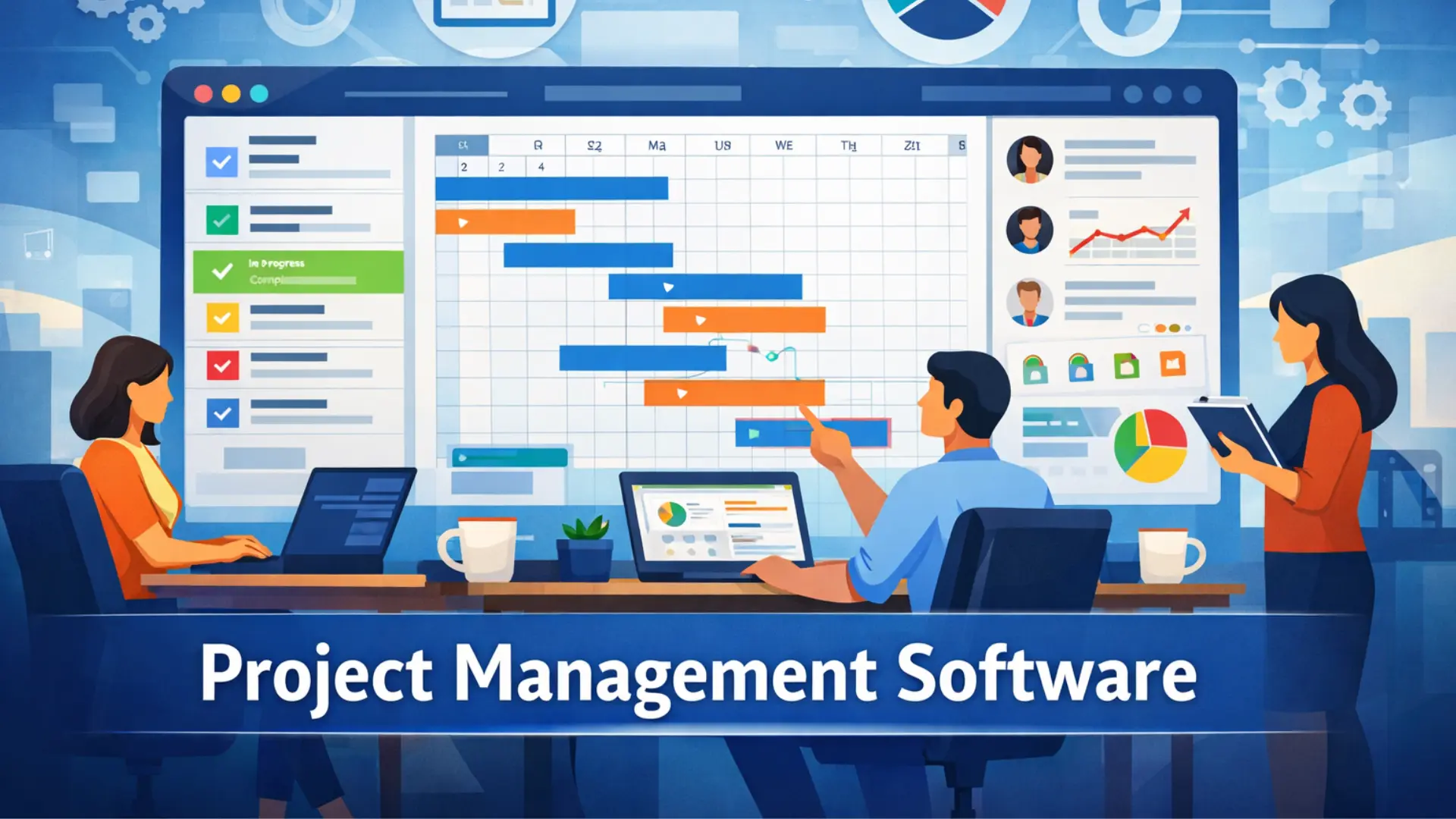
Smartsheet is a cloud-based work management platform that combines the familiarity of spreadsheets with advanced project management tools. It helps teams organize tasks, track deadlines, automate workflows, and collaborate in one place. Unlike traditional spreadsheets, Smartsheet offers features such as Gantt charts, dashboards, reporting tools, and workflow automation.
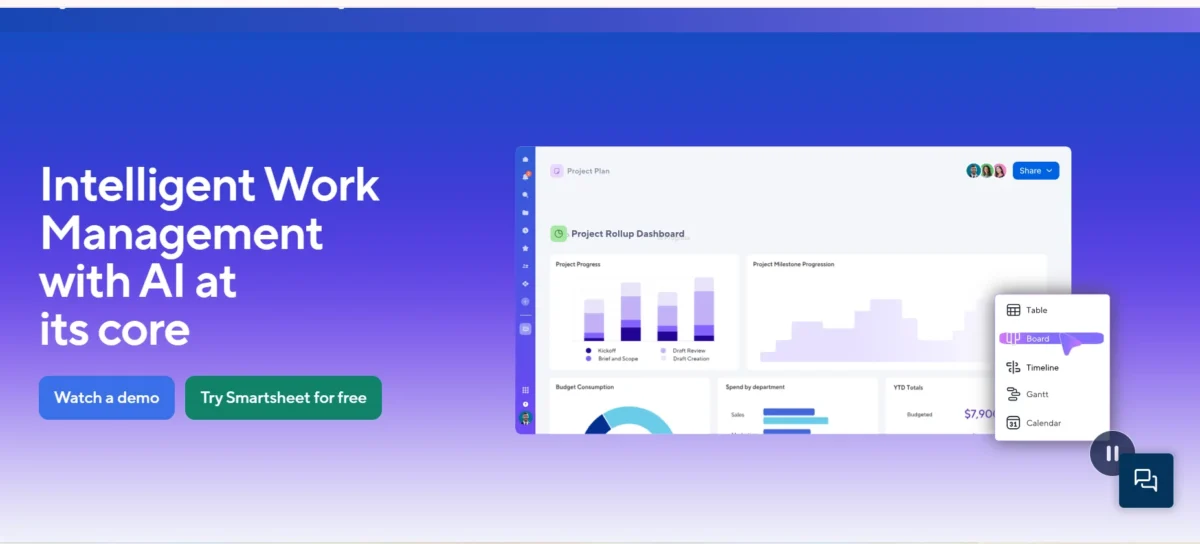
Many companies use Smartsheet for project planning, operations management, marketing campaigns, IT workflows, and resource tracking. Because the interface feels similar to Excel or Google Sheets, teams often find it easier to adopt compared to more complex enterprise work management software.
Smartsheet: Best For
Smartsheet works best for teams that already rely heavily on spreadsheets but need stronger collaboration and automation features. It’s especially useful for project managers, operations teams, marketing departments, construction companies, and enterprise organizations handling cross-functional workflows.
Small businesses can use Smartsheet for task tracking and workflow management, while larger enterprises benefit from advanced reporting dashboards, portfolio management software, and scalable automation systems. However, teams seeking a highly visual or beginner-friendly experience may prefer tools such as Monday.com or ClickUp.
Methodology
This review evaluates Smartsheet based on usability, pricing, collaboration tools, automation features, integrations, reporting capabilities, customer support, and overall value for teams. We also compared Smartsheet against other popular project management software platforms used by businesses in 2026.
Real-world use cases were considered throughout the review. That includes how well Smartsheet handles project scheduling, task dependencies, resource allocation, workflow automation, and enterprise collaboration. The goal is to give you a practical understanding instead of just repeating marketing claims.
Smartsheet Evaluation Summary
| Category | Rating |
| Ease of Use | 8/10 |
| Project Management Features | 9/10 |
| Workflow Automation | 9/10 |
| Collaboration Tools | 8/10 |
| Reporting & Dashboards | 9/10 |
| Customer Support | 7.5/10 |
| Pricing Value | 7.5/10 |
| Mobile Experience | 8/10 |
| Integrations | 9/10 |
| Overall Score | 8.5/10 |
Why You Can Trust Us
We evaluate project management tools by focusing on practical business use instead of hype. Every section in this review looks at how Smartsheet performs in daily workflows such as project tracking, operational workflows, reporting, and team collaboration.
We also compare Smartsheet against competing platforms like Asana, Wrike, and Monday.com to provide balanced insights. This helps readers understand where Smartsheet shines and where it may fall short depending on their workflow style.
Smartsheet Overview
| Feature | Details |
| Product Type | Project Management Software |
| Best For | Teams, Enterprises, Operations |
| Free Trial | Yes |
| Mobile App | Android & iOS |
| Automation | Included |
| Gantt Charts | Yes |
| Kanban Boards | Yes |
| Templates | Hundreds Available |
| Integrations | Slack, Teams, Google Drive, Jira, Salesforce |
| Deployment | Cloud-Based |
| Security | Enterprise-Grade |
| Starting Price | Custom / Tier-Based |
Smartsheet stands out because it blends spreadsheet collaboration with enterprise work management features. Instead of forcing teams to learn an entirely new system, it improves familiar spreadsheet workflows with automation, dashboards, and collaborative workspace tools.
The platform is highly flexible. Teams can use it for marketing campaigns, IT project management, healthcare operations, construction planning, and business process automation. That flexibility is one reason Smartsheet remains popular among enterprise users.
Smartsheet Key Features
Below are some of the most important Smartsheet features that make it one of the best spreadsheet-based project management software platforms available today.
- Spreadsheet-style task management
- Gantt chart software for timelines
- Kanban board project views
- Calendar-based scheduling
- Workflow automation tools
- Automated approvals and notifications
- Real-time team collaboration
- File sharing and document management
- Custom dashboards and reporting
- Portfolio management software tools
- Resource allocation tracking
- Project analytics and insights
- Ready-made workflow templates
- Smartsheet WorkApps support
- API integrations with business tools
- Mobile app access
- Team productivity tracking
- Enterprise-grade security features
- Dynamic forms for data collection
- Cross-functional collaboration tools
These features help businesses manage operational workflows without switching between multiple apps. Smartsheet automation especially saves time for repetitive processes like approvals, status updates, and reporting.
Another strong advantage is flexibility. Teams can build custom workflows without advanced coding skills, making Smartsheet a practical no-code workflow platform for many organizations.
Spreadsheet-style Project Management
Smartsheet keeps the familiar spreadsheet interface while adding project tracking software capabilities. Users can create rows for tasks, assign team members, set deadlines, and track progress without learning a completely new system.
This setup works especially well for teams already comfortable with Excel. Instead of abandoning spreadsheets entirely, Smartsheet upgrades them into collaborative workflow management systems with automation and reporting tools.
Multiple Project Views
Smartsheet allows users to switch between grid view, Gantt charts, card view, and calendar view depending on project needs. This flexibility improves project visibility for different departments and workflow styles.
For example, executives may prefer dashboards and reports, while marketing teams might work better with Kanban boards. Having multiple project views helps teams stay aligned without forcing everyone into one format.
Collaboration Tools
Smartsheet includes comments, file attachments, notifications, mentions, and shared workspaces that support team collaboration software needs. Team members can discuss updates directly inside projects instead of relying on long email chains.
The collaborative workspace makes communication more organized. It’s especially useful for remote teams handling cross-functional projects involving multiple departments.
Automations and Workflows
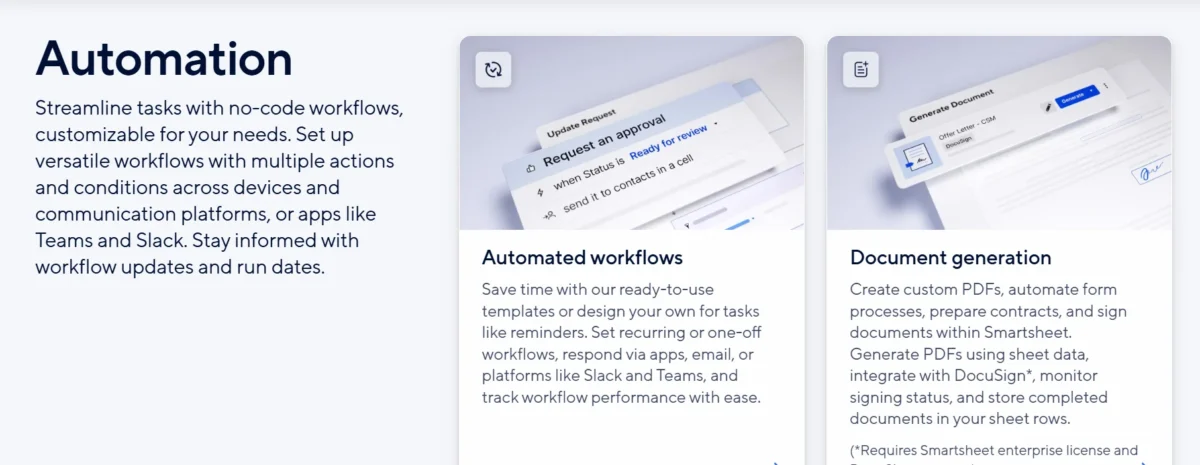
One of Smartsheet’s strongest areas is workflow automation. Users can automate repetitive tasks such as approvals, reminders, status changes, and notifications using simple no-code logic.
These automations reduce manual work and improve operational workflows. Businesses managing large projects often save significant time through automated workflows and reporting systems.
Dashboards and Reporting
Smartsheet dashboards provide real-time project analytics, charts, and reporting tools that help managers monitor performance. Teams can create custom dashboards showing project timelines, milestones, resource allocation, and workload status.
The reporting dashboard is especially valuable for enterprise work management because leadership teams can quickly review project health without opening multiple sheets.
WorkApps and External Connections
Smartsheet WorkApps let companies build simplified apps using project data, dashboards, and workflows. This helps teams organize information into role-based workspaces without requiring technical development skills.
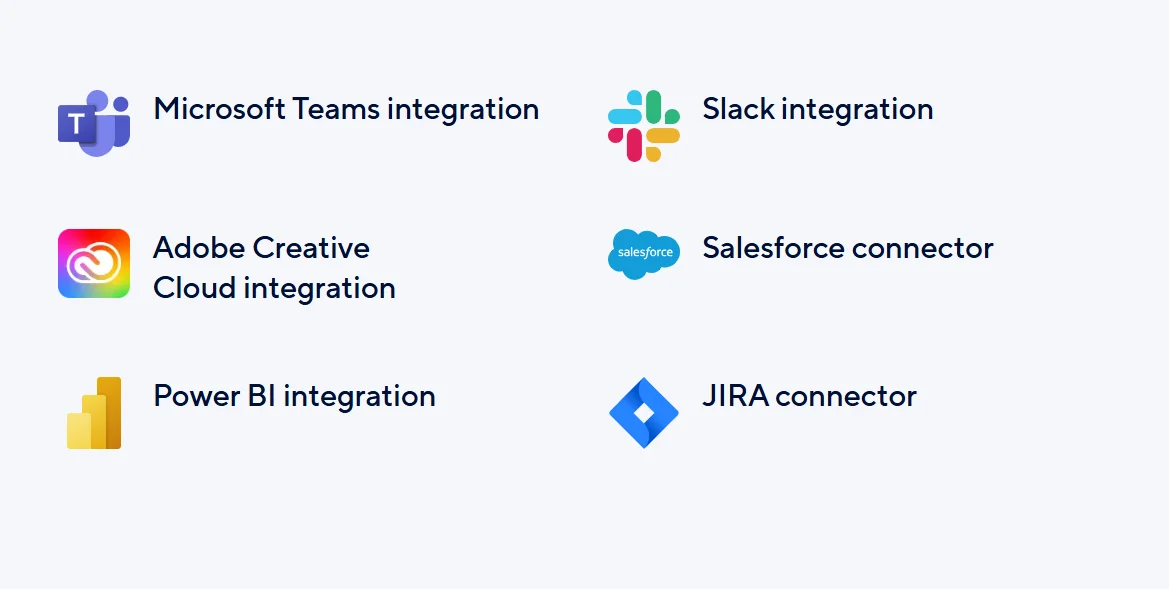
The platform also supports integrations with Slack, Microsoft Teams, Jira, Salesforce, Google Workspace, and many other business tools. These API integrations improve workflow continuity across departments.
Collect Data Using Forms
Smartsheet forms allow businesses to collect requests, feedback, submissions, and operational data directly into project sheets. This reduces manual data entry and improves accuracy.
Teams often use forms for support tickets, onboarding requests, marketing submissions, and internal approvals. It’s a simple but powerful feature for business workflow software.
Ease of Use
Smartsheet is easier to learn than many enterprise collaboration platforms because the spreadsheet interface feels familiar. Users with Excel experience can usually start managing projects quickly without extensive onboarding.
However, advanced features like automation workflows, dashboards, and portfolio tracking may take time to master. While beginners can handle basic task management easily, enterprise-level customization has a learning curve.
Getting Started with Smartsheet
The onboarding process is relatively smooth thanks to templates, tutorials, and guided setup options. Teams can quickly launch projects using pre-built workflow templates for marketing, operations, construction, and IT management.
Smartsheet also provides import tools for Excel and Google Sheets, making migration simpler for businesses moving from spreadsheet-based systems.
Smartsheet Learning Resources
Smartsheet offers webinars, certification programs, documentation, tutorials, and community forums to help users improve their skills. These learning resources are especially useful for enterprise teams implementing large operational workflows.
The company also provides onboarding support for larger organizations. This helps teams adopt advanced automation and reporting tools more effectively.
Ready-to-Use Templates
Smartsheet templates simplify project planning by giving users pre-designed workflows for common business scenarios. Templates exist for project tracking, content calendars, employee onboarding, budgeting, and construction planning.
This saves time and reduces setup frustration. Instead of building workflows from scratch, teams can customize templates to match their operational needs.
Collaboration Tools
Smartsheet supports collaboration through shared sheets, automated notifications, comments, dashboards, and integrations with communication platforms. This improves project visibility and helps teams stay connected.
The platform works well for remote teams because updates happen in real time. Everyone can see task changes, status updates, and deadlines without constant meetings or manual follow-ups.
Clear Goals for Team Members
Managers can assign tasks, define deadlines, and set priorities clearly inside Smartsheet. This creates better accountability and reduces confusion about responsibilities.
Task dependencies and milestone tracking also help teams understand how their work affects larger project timelines.
Team Dashboard and Communication
Custom dashboards help teams monitor KPIs, workloads, and project progress in one location. Instead of digging through spreadsheets, users can quickly view essential project analytics.
Communication tools like comments and mentions reduce reliance on email. Team members can collaborate directly within the workflow management system.
File Sharing
Smartsheet allows users to upload files, attach documents, and share resources securely within projects. This centralizes project materials and reduces scattered communication.
File sharing works well for marketing assets, contracts, spreadsheets, and operational documentation. It helps teams maintain organized project records.
Mobile App
The Smartsheet mobile app supports task updates, notifications, file access, and collaboration while working remotely. Teams can monitor projects from smartphones or tablets without needing desktop access.
The mobile experience is generally reliable, although advanced dashboard editing is easier on desktop devices.
Smartsheet Pricing Explained
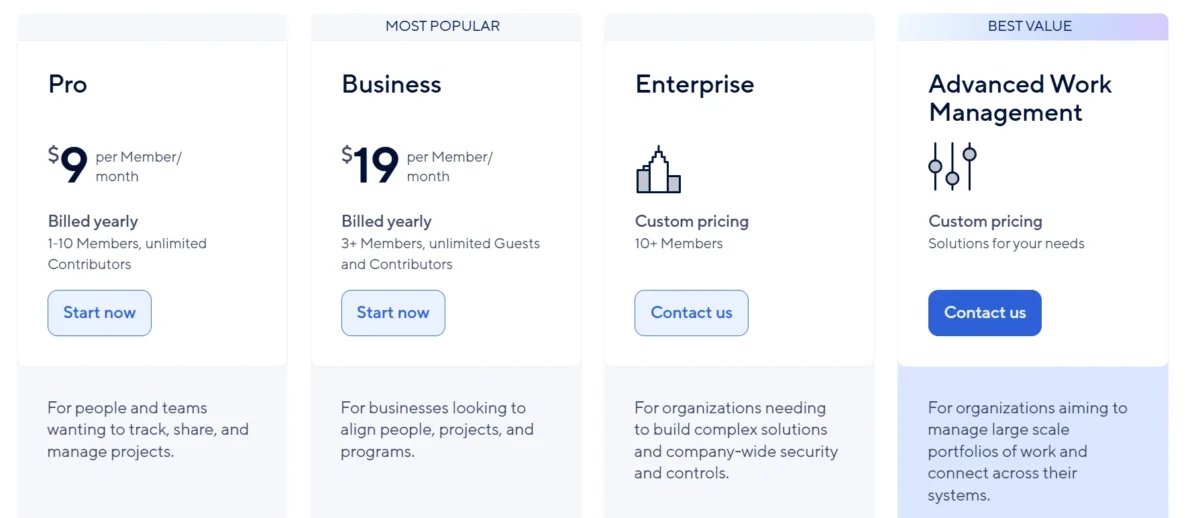
Smartsheet pricing depends on team size, features, and enterprise requirements. The platform typically offers Pro, Business, and Enterprise plans along with a free trial for testing the software.
While Smartsheet provides powerful workflow automation and reporting features, pricing may feel expensive for smaller businesses. Larger organizations usually gain more value because they use advanced collaboration tools, portfolio management, and operational automation features more extensively.
| Plan | Best For | Key Features | Starting Price* |
| Free Trial | New Users | Limited access to test features and workflows | Free |
| Pro Plan | Individuals & Small Teams | Grid, Gantt, board views, dashboards, templates, automation | Around $9/user/month |
| Business Plan | Growing Businesses | Advanced automations, unlimited collaborators, reporting tools, and integrations | Around $19/user/month |
| Enterprise Plan | Large Organizations | Enterprise security, governance controls, premium support, and advanced integrations | Custom Pricing |
| Advanced Work Management | Enterprises with Complex Operations | Portfolio management, Control Center, advanced analytics | Custom Pricing |
Security Features
Smartsheet includes enterprise security features such as user permissions, activity logs, encrypted data storage, SSO support, and compliance certifications. These tools help businesses manage sensitive operational workflows securely.
Large organizations benefit from administrative controls and governance settings that improve project visibility without sacrificing data protection. This makes Smartsheet suitable for enterprise collaboration and regulated industries.
Customer Support Options
Smartsheet offers customer support through documentation, community forums, training resources, and ticket-based support systems. Enterprise users may also receive dedicated onboarding and account management services.
Support quality is generally solid, although response times can vary depending on the subscription plan. Many users rely heavily on Smartsheet’s knowledge base and tutorials for troubleshooting.
Pros and Cons
Pros
- Familiar Spreadsheet Interface: Teams already using Excel can adapt quickly because the interface feels natural and easy to understand.
- Excellent Workflow Automation: Smartsheet automation reduces repetitive manual work through approvals, alerts, reminders, and workflow triggers.
- Strong Reporting and Dashboards: The reporting dashboard provides excellent project visibility for managers and executives.
- Flexible Project Views: Users can switch between Gantt charts, Kanban boards, calendars, and grid views based on workflow needs.
- Great Enterprise Scalability: Smartsheet handles complex enterprise work management and cross-functional collaboration effectively.
- Large Template Library: Ready-made templates simplify setup for many industries and project types.
- Powerful Integrations: Integrates smoothly with Slack, Teams, Salesforce, Jira, and Google Workspace.
- Strong Collaboration Features: Comments, file sharing, notifications, and shared workspaces improve team productivity.
Cons
- Pricing Can Be Expensive: Small businesses may find Smartsheet pricing higher than simpler task management tools.
- Learning Curve for Advanced Features: Automation, dashboards, and reporting tools require time to master fully.
- Interface Can Feel Dated: Some users prefer more modern visual interfaces offered by competitors like Monday.com.
- Limited Native Chat Features: Communication tools are useful, but not as advanced as dedicated collaboration platforms.
- Mobile Editing Limitations: Complex dashboard management works better on desktops than on mobile devices.
- Overwhelming for Small Teams: Smartsheet includes many enterprise-focused tools that smaller teams may never use.
- Better for Structured Workflows: Creative teams looking for flexible brainstorming tools may prefer other project planning platforms.
Meet Lark: A Modern, Unified Alternative to Smartsheet
Lark combines messaging, collaboration, meetings, docs, and workflow tools into one unified workspace. Unlike Smartsheet, which focuses heavily on spreadsheet-style project management, Lark emphasizes all-in-one communication and collaboration.
For teams wanting fewer separate apps, Lark may feel simpler and more modern. However, Smartsheet still offers stronger reporting dashboards, automation systems, and enterprise workflow management capabilities.
Quick Comparison: Lark vs Smartsheet
| Feature | Smartsheet | Lark |
| Spreadsheet Interface | Yes | Limited |
| Workflow Automation | Advanced | Moderate |
| Built-in Chat | Basic | Strong |
| Reporting Dashboards | Excellent | Good |
| Enterprise Features | Strong | Growing |
| Video Meetings | Limited | Built-In |
| Best For | Project Operations | Unified Collaboration |
Smartsheet works better for structured project management and operational workflows. Lark is more suitable for communication-heavy teams wanting an all-in-one workspace solution.
Smartsheet Alternatives
Several strong alternatives compete with Smartsheet in the project management software market. Asana focuses on clean task management and user-friendly collaboration, while Monday.com offers colorful visual workflows and easier onboarding.
Wrike, ClickUp, Notion, and Airtable are also popular alternatives, depending on workflow style and business needs. Teams should compare automation features, pricing, dashboards, and collaboration tools before choosing a platform.
| Tool | Best For | Main Strength |
| ClickUp | All-in-one project management | Powerful features, automation, docs, dashboards |
| Monday.com | Visual workflows and easy setup | Beginner-friendly UI and colorful dashboards |
| Asana | Team collaboration | Simple task management and a clean interface |
| Airtable | Spreadsheet + database workflows | Flexible data organization and collaboration |
| Wrike | Enterprises and agencies | Advanced reporting and large team management |
| Notion | Docs, tasks, and knowledge management | Combines notes, wiki, and task tracking |
| Trello | Beginners and simple projects | Easy drag-and-drop Kanban boards |
If you want advanced automation and many features, ClickUp is a strong option. For visual workflows and easy onboarding, Monday.com works well. Teams needing simple collaboration often prefer Asana, while Notion is popular for combining documents, tasks, and team knowledge in one workspace.
Conclusion
Smartsheet is one of the strongest spreadsheet-based project management software platforms available today. It combines familiar spreadsheet functionality with powerful automation, dashboards, reporting tools, and collaboration features that work well for both growing businesses and enterprise teams.
Overall, this Smartsheet Review shows that the platform is best suited for organizations managing structured workflows, operational projects, and cross-functional collaboration. While pricing and advanced setup can feel overwhelming for smaller teams, businesses needing scalable workflow management and strong reporting capabilities will likely find Smartsheet worth the investment.
FAQs
Is Smartsheet good for beginners?
Yes, especially for users familiar with spreadsheets. However, advanced automation features may take time to learn.
Does Smartsheet offer a free plan?
Smartsheet usually provides a free trial, but long-term free plans are limited compared to some competitors.
What is Smartsheet mainly used for?
Businesses use Smartsheet for project tracking, workflow automation, collaboration, reporting, and operational management.
Is Smartsheet better than Asana?
It depends on your workflow. Smartsheet is stronger for spreadsheet-based project management, while Asana is simpler for task-focused teams.
Can Smartsheet replace Excel?
For many business workflows, yes. It offers spreadsheet functionality plus collaboration and automation tools.
Does Smartsheet support automation?
Yes. Smartsheet workflow automation is one of its strongest features for reducing repetitive tasks.
Is Smartsheet worth it for small businesses?
It can be valuable if your business manages complex workflows, although smaller teams may prefer lower-cost alternatives.

Nitin Alin is the founder of SaaShostly.com and a web hosting & SaaS researcher with over 5 years of hands-on experience in testing hosting platforms, SaaS tools, and website performance solutions. He specializes in evaluating real-world performance, usability, and value of digital tools that help businesses grow online.
Through SaaShostly.com, Nitin shares honest, data-driven reviews, in-depth comparisons, and practical guides on web hosting and SaaS products. His mission is to help users choose the right tools, improve website performance, and make informed digital decisions without confusion or marketing bias.