Cloudways Review 2026: Pricing, Features & Speed
Looking for reliable hosting can feel confusing, especially when every provider claims to be the “fastest” and “best.” You might have already tried cheap hosting that slowed your site down or support that didn’t really help when things went wrong. That frustration is exactly why many people end up searching for a Cloudways Review before making another decision.
In this Cloudways Review, you’ll get a clear and honest breakdown of what this platform actually offers in real use. We’ll look at its performance, features, pricing, and whether it truly makes website management easier for beginners and professionals. By the end, you’ll know if it’s the right hosting choice for your needs or just another overhyped option.

What is Cloudways? (Explained Simply)
If you’ve ever felt overwhelmed by web hosting, you’re not alone. Most platforms either limit your control or throw too many technical settings at you. That’s where Cloudways steps in—it simplifies managed cloud hosting without taking away flexibility.
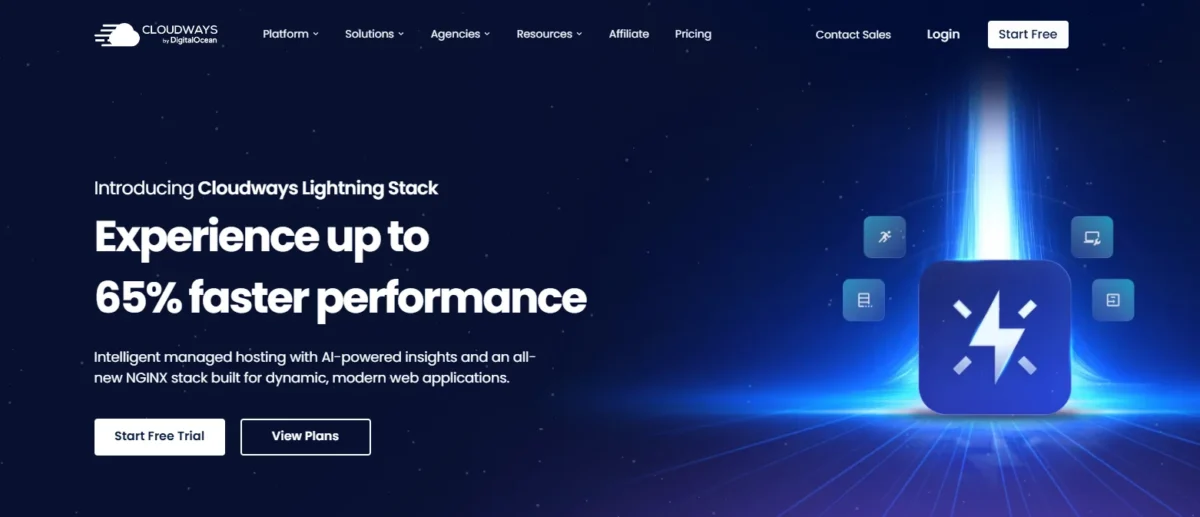
Cloudways is a cloud hosting platform that lets you host websites on top cloud infrastructure providers like DigitalOcean, AWS, and Google Cloud. Instead of dealing with server setup yourself, it handles everything—from cloud server deployment to performance tuning—so you can focus on your website.
Why Choose Cloudways?
Choosing the right hosting can feel like guesswork. Some are cheap but slow, others are fast but expensive. Cloudways sits right in the middle by offering a scalable hosting solution with strong performance and fair pricing.
It’s especially useful if you want managed WordPress hosting without the high costs of premium providers. Plus, features like hosting with CDN, caching, and real-time monitoring make it ideal for growing websites.
With Cloudways, You Can Choose Your Cloud Provider
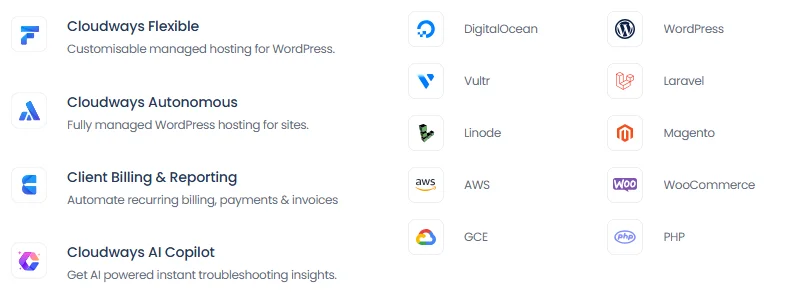
One thing that makes Cloudways different is freedom. You’re not locked into a single provider. Instead, you can choose from top cloud infrastructure providers like:
- DigitalOcean
- AWS
- Google Cloud
- Vultr
- Linode
This multi-cloud flexibility allows better cost control and performance tuning depending on your project.
Cloudways Pricing and Plans

| Plan | Best For | Price (USD/month) | RAM | vCPU | NVMe Storage | Bandwidth | AI Copilot Credits | Key Features |
|---|---|---|---|---|---|---|---|---|
| Micro | Personal websites & simple blogs | $14 | 1 GB | 1 | 25 GB | 1 TB | 5 | Unlimited visits, unlimited websites, Lightning Stack |
| Small | Growing businesses & moderate traffic | $28 | 2 GB | 1 | 50 GB | 2 TB | 5 | Unlimited visits, unlimited websites, Lightning Stack |
| Medium | High traffic & demanding websites | $54 | 4 GB | 2 | 80 GB | 4 TB | 5 | Unlimited visits, unlimited websites, Lightning Stack |
| Large | E-commerce & resource-heavy applications | $99 | 8 GB | 4 | 160 GB | 5 TB | 5 | Unlimited visits, unlimited websites, Lightning Stack |
Cloudways follows a pay-as-you-go pricing model, which means you only pay for what you use. No fixed contracts, no surprises.
Pricing varies based on your chosen provider:
- DigitalOcean plans start low and are great for beginners
- AWS & Google Cloud cost more but offer enterprise-level performance
This hourly billing hosting system makes it ideal for developers and businesses that need flexibility.
Key Features: Why Cloudways Stands Out

- Managed cloud hosting without server headaches
- One-click WordPress deployment
- Built-in Cloudflare enterprise CDN integration
- Advanced caching with Varnish and Redis
- Real-time server monitoring metrics
- Automated backups and restores
- Free SSL certificates
- SSH access and SFTP credentials
- Git integration hosting
- Staging environment for WordPress
- Firewall and IP whitelisting
- DDoS protection and WAF
- Vertical scaling (increase server resources anytime)
- High-performance Lightning Stack (NGINX + Apache)
- New Relic application monitoring
- 24/7 expert support
- WooCommerce hosting optimization
- AI Copilot server monitoring tools
- High uptime SLA
- Easy-to-use cloud hosting control panel
1. Speed and Performance (The Real Deal)
Speed is where Cloudways really shines. Its Lightning Stack NGINX performance, combined with caching, ensures fast load times. Even high-traffic sites run smoothly thanks to optimized infrastructure.

2. Free SSL Certificates
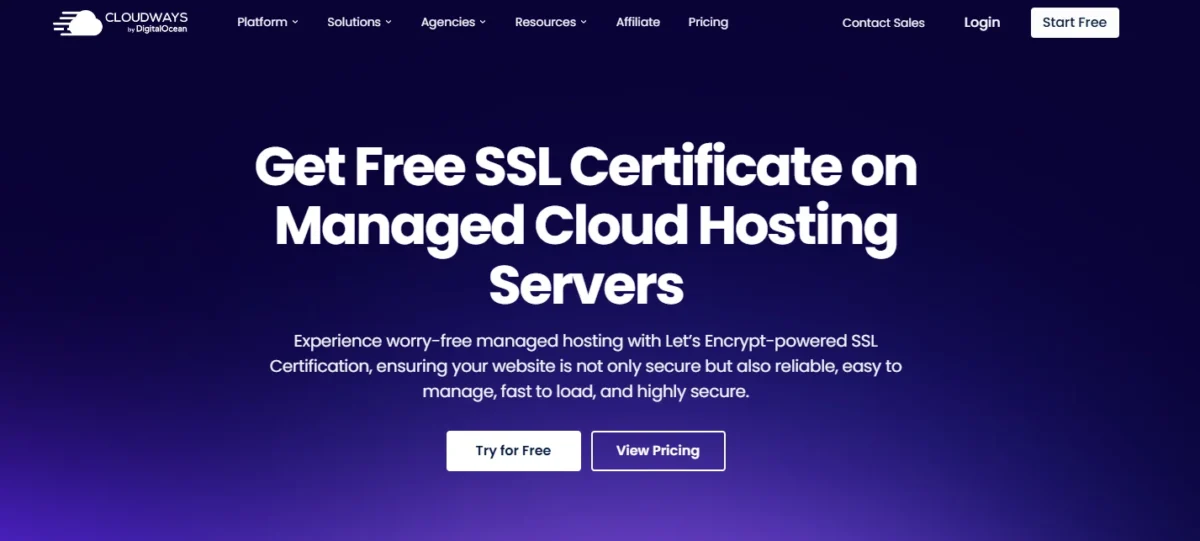
Security starts with HTTPS, and Cloudways gives you free SSL certificates. You can install them in just a few clicks—no technical skills needed.
3. Automated Backups
You don’t have to worry about losing data. Cloudways offers automated backups and restores, so your site stays safe even if something goes wrong.
4. 24/7 Expert Support
Support matters when things break. Cloudways provides round-the-clock help through chat and tickets, making it reliable for businesses and agencies.
The Dashboard: Is It Easy to Use?
The dashboard is clean and beginner-friendly, yet powerful enough for developers. You get access to all important settings without feeling overwhelmed.
1-Click Installations
Installing WordPress or other apps takes just one click. This makes it a great option for beginners looking for how to host WordPress on Cloudways.
Flexibility
You can customize servers, install apps, and manage performance easily. It’s a developer-friendly hosting tool without being too complex.
Cloudways Security
Security is built into the platform. With features like firewall and IP whitelisting, SSL, and DDoS protection, your site stays protected.
It also includes hosting security features like regular updates, monitoring tools, and secure access options.
Website Speed and Performance
Cloudways is well known for delivering strong website speed and reliable performance because it is built on top of major cloud platforms like DigitalOcean, AWS, Google Cloud, and Vultr. Unlike shared hosting, it provides dedicated cloud resources, so your website doesn’t get affected by traffic from other users.
In real-world performance tests, Cloudways usually loads websites in about 1–1.5 seconds, with a fast server response time (TTFB often around 150–300ms). This makes it a solid choice for WordPress and online stores that need speed.
It also comes with powerful caching systems like Varnish, Redis, and Memcached, plus optional CDN support to improve global loading speed.
Overall, Cloudways performs significantly better than typical shared hosting like Bluehost or Hostinger entry plans, and it is close to premium managed hosting in speed and stability. It’s especially useful for growing websites, agencies, and e-commerce projects that need consistent performance.
Cloudways Uptime
Cloudways offers very strong uptime because it runs on reliable cloud infrastructure like DigitalOcean, AWS, Google Cloud, and Vultr. These providers use multiple data centers and redundant systems, which help keep websites online almost all the time.
In most real-world monitoring results, Cloudways delivers around 99.9% uptime or even higher, which means very little downtime throughout the month. It also includes built-in server monitoring and automatic recovery features that quickly fix common issues before they affect your website.
Overall, Cloudways is a dependable choice if you want stable hosting where your website stays accessible without frequent interruptions.
Cloudways Caching
Cloudways uses a powerful built-in caching system to improve website speed and reduce server load. It includes advanced tools like Varnish, Redis, Memcached, and Breeze (its own WordPress cache plugin), which work together to make pages load faster.
Instead of generating pages from scratch every time a visitor comes, caching stores a ready version of your content. This helps your website respond quickly, even during high traffic.
Cloudways also allows easy cache management from its dashboard, so you can clear or optimize cache without technical skills. Overall, its caching setup is one of the main reasons Cloudways performs faster than typical shared hosting.
Who Should Use Cloudways?
Cloudways is perfect for:
- Small businesses need reliable hosting
- Agencies managing multiple client sites
- Developers who want flexibility
- eCommerce stores using WooCommerce
It’s also great for cloud hosting for high-traffic websites.
Who Should Not Use Cloudways?
Cloudways may not be ideal if:
- You want traditional shared hosting
- You need full root access
- You prefer extremely beginner-only platforms
How Does Cloudways Compare with Other Web Hosts?
Compared to platforms like SiteGround or WP Engine, Cloudways offers better flexibility and pricing. It stands out because it combines multi-cloud hosting providers with managed services.
In many cases, it’s a better alternative for those who want performance without paying premium managed hosting prices.
Cloudways vs Kinsta
Cloudways is a flexible cloud hosting platform where you can choose providers like DigitalOcean and AWS. Kinsta is a premium managed WordPress hosting built on Google Cloud. Cloudways is more affordable and customizable, while Kinsta is easier and fully managed. Cloudways is best for developers and agencies, and Kinsta is best for premium WordPress users.
Cloudways vs WP Engine
Cloudways offers more freedom, server choices, and lower pricing with pay-as-you-go billing. WP Engine is a fully managed WordPress hosting focused on speed, security, and support. Cloudways is better for flexibility and cost control. WP Engine is best for businesses that want hassle-free managed hosting.
Cloudways vs SiteGround
Cloudways uses cloud infrastructure and gives better scalability and performance control. SiteGround is easier for beginners with shared hosting and built-in WordPress tools. Cloudways is more powerful but needs a bit of technical understanding. SiteGround is best for beginners and small websites.
Cloudways vs Hostinger
Cloudways is a cloud-based hosting with high performance and scalability. Hostinger is a cheap shared hosting service, very beginner-friendly. Cloudways is better for growing websites and agencies. Hostinger is best for personal blogs and low-budget users.
Cloudways vs Bluehost
Cloudways offers better speed and cloud flexibility with advanced control. Bluehost is simpler and officially recommended for WordPress beginners. Cloudways is more powerful for performance-focused users. Bluehost is best for new users starting a blog or small site.
Cloudways vs A2 Hosting
Cloudways provides cloud hosting with scalable resources and managed infrastructure. A2 Hosting focuses on fast shared and VPS hosting with good optimization. Cloudways is better for large or growing websites. A2 Hosting is good for developers and small businesses needing speed.
Cloudways vs ScalaHosting
Cloudways offers multiple cloud providers and strong scalability. ScalaHosting provides managed VPS with built-in security tools like SPanel. Cloudways is more flexible and powerful. ScalaHosting is best for users who want VPS control with simplicity.
Cloudways vs DreamHost
Cloudways is cloud-based with better performance and scaling options. DreamHost is traditional shared and VPS hosting with easy setup. Cloudways is more advanced and faster. DreamHost is good for beginners and simple WordPress sites.
Cloudways vs DigitalOcean
Cloudways is a managed layer on top of DigitalOcean, making it easier to use. DigitalOcean is raw cloud infrastructure for developers. Cloudways is better for non-technical users. DigitalOcean is best for developers who want full server control.
Cloudways vs Vultr
Cloudways gives a managed interface over Vultr’s cloud servers. Vultr is raw cloud hosting with high performance, but it needs technical setup. Cloudways is easier and beginner-friendly. Vultr is best for developers and advanced users who want control.
Cloudways Pros and Cons
Pros:
- Flexible pay-as-you-go pricing model
- High performance with advanced caching
- Multi-cloud provider support
- Easy scalability (vertical scaling)
- Strong security features
- Great for developers and agencies
- Built-in CDN and monitoring tools
Cons:
- No domain registration included
- Slight learning curve for beginners
- No root access
- Email hosting is not included by default
Final Verdict – Cloudways Review
Cloudways offers a powerful mix of performance, flexibility, and affordability. Whether you’re running a blog, business website, or eCommerce store, it gives you the tools to scale without stress.
If you’re looking for a cloud-based hosting solution that balances ease of use with advanced features, Cloudways is definitely worth considering in 2026.
FAQs
Is Cloudways good for beginners?
Yes, it’s beginner-friendly with simple setup and 1-click installations.
Does Cloudways offer a free trial?
Yes, you can try Cloudways without a credit card for a limited time.
Is Cloudways better than shared hosting?
Yes, it offers better performance, scalability, and reliability.
Can I host WordPress on Cloudways?
Yes, it supports easy WordPress hosting with optimized performance.
Does Cloudways support eCommerce websites?
Yes, it’s great for WooCommerce and high-traffic stores.
What makes Cloudways different?
Its multi-cloud flexibility and managed hosting approach set it apart.
Is Cloudways worth it?
Yes, especially if you want scalable and high-performance hosting without high costs.

Nitin Alin is the founder of SaaShostly.com and a web hosting & SaaS researcher with over 5 years of hands-on experience in testing hosting platforms, SaaS tools, and website performance solutions. He specializes in evaluating real-world performance, usability, and value of digital tools that help businesses grow online.
Through SaaShostly.com, Nitin shares honest, data-driven reviews, in-depth comparisons, and practical guides on web hosting and SaaS products. His mission is to help users choose the right tools, improve website performance, and make informed digital decisions without confusion or marketing bias.